
Specialist LCD/OLED Supplier
|
|






high-refresh-rate display panel
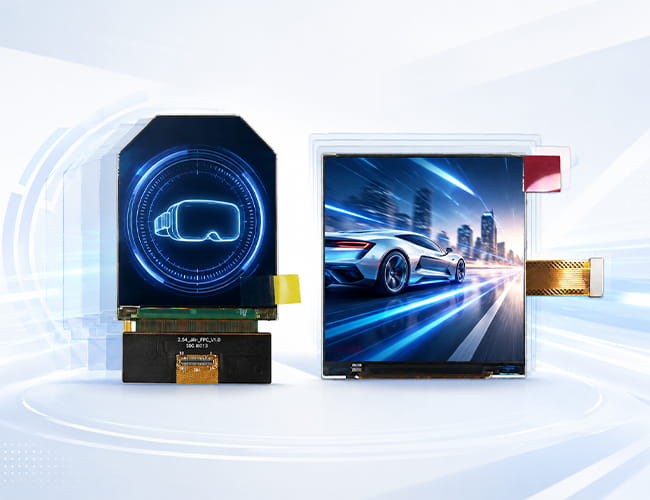
High Refresh Rate Monitors: A New Choice for Enhanced Visual Experience
High refresh rate monitors, such as 120Hz, 144Hz, and even 240Hz, have gradually become a new trend in display technology in recent years. These monitors update more frames per second, significantly improving the smoothness and clarity of visuals. A higher refresh rate provides a smoother and more refined visual experience, reducing screen tearing and blurring, especially when handling dynamic content. Whether based on LCD technology or more advanced OLED panels, high refresh rate monitors offer remarkable enhancements across office work, design, video editing, and everyday use. Upgrading to a high refresh rate monitor can lead to a noticeably better viewing experience.-
Size(inch)
- 0.39~1.0
- 1.0~1.9
- 2.0~2.9
- 3.0~3.9
- 4.0~4.9
- 5.0~5.9
- 6.0~6.9
- 7.0~7.9
- 8.0~9.9
- 10~20
-
Interface
- I2C
- SPI
- Parallal
- MCU
- CPU
- RGB
- MIPI
- LVDS
- eDP
- HDMI
-
Display Color
- Monochrome
- Double Color
- Full Color
-
Orientation
- Landscape
- Portrait
| Model | Size | Display Type | Resolution | Interface | Display Brand | Image | ||||||||||
|---|---|---|---|---|---|---|---|---|---|---|---|---|---|---|---|---|

0.5 inch 1600x1200 Micro OLED 1000 cd luminance 120 Hz
|
0.5 | Micro OLED | 1600x1200 | I2C,MIPI | Panox Display |
|
||||||||||

2.1 inch LCD 90 Hz For VR HDMI Board
|
2.1 | TFT-LCD | 1600(RGB)×1600, 1058PPI | MIPI | BOE |
|
||||||||||

2.54 inch round/circular TFT-LCD For VR
|
2.45 | TFT-LCD | 1440(RGB)×1600 | MIPI | BOE |
|
||||||||||

2.9 inch TFT-LCD 120 Hz For VR
|
2.9 | TFT-LCD | 1440(RGB)×1440 | MIPI | Sharp |
|
||||||||||

2.9 inch LCD 2K Resolution 90 Hz For VR
|
2.9 | TFT-LCD | 2160x2160 | MIPI | Sharp |
|
||||||||||

3.5 inch LCD 90 Hz For VR
|
3.5 | TFT-LCD | 1440(RGB)×1600 | MIPI | BOE |
|
||||||||||

3.5 inch OLED 90 Hz For VR
|
3.5 | AMOLED | 1440(RG/BG)×1600 | MIPI | Samsung |
|
||||||||||

3.81 inch OLED 90Hz For VR
|
3.81 | AMOLED | 1080(RGB)×1200 | MIPI | AUO |
|
||||||||||

5.5 inch LCD 4K Resolution For 3D Printing/Projector
|
5.5 | TFT-LCD | 2160(RG/BR/GB)×3840 (UHD) 658PPI | MIPI | Sharp |
|
||||||||||

5.5 inch LCD 4K Resolution For Oculus VR
|
5.46 | TFT-LCD | 1920x3664 | MIPI | LG |
|
||||||||||
6.52 inch Flexible OLED 2520x840 Touch Panel
|
6.52 inch | AM-OLED , OLED | 2520(RGB)×840 407 PPI | MIPI | CSOT |
|
||||||||||

7 inch AMOLED OLED 1920X1080 Mipi
|
7 inch | OLED , AM-OLED | 1080(RGB)×1920, FHD, 315PPI | MIPI | Panox Display |
|
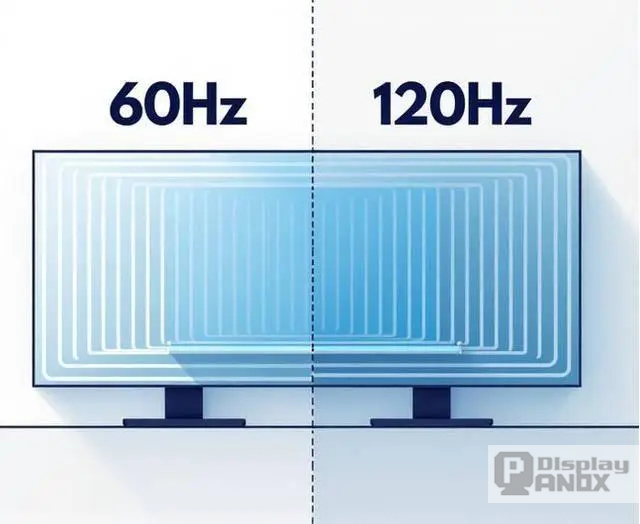
The Multiple Benefits of High Refresh Rate Monitors
In addition to delivering smoother motion, high refresh rate monitors help protect the eyes of long-time users. Thanks to their higher refresh rates, these monitors effectively reduce screen flicker and alleviate eye strain, which is particularly beneficial for professionals who spend extended hours in front of a screen, such as office workers, designers, and editors. Whether you choose an LCD monitor for its cost-efficiency and reliability or an OLED display for its deep blacks and vibrant colors, high refresh rate technologies enhance visual details, making colors more vivid, realistic, and critical for tasks like image processing and creative design.Considerations When Choosing and Using High Refresh Rate Monitors
While high refresh rate monitors offer many advantages, they also come with higher costs and specific hardware requirements. To fully leverage the benefits, users need a graphics card that supports high refresh rate output along with the appropriate connection interfaces. If your typical usage doesn't involve demanding visual performance, or if your existing setup does not support the full potential of a high refresh rate LCD or OLED monitor, it’s important to balance the investment with your actual needs. Thoughtful consideration will ensure you get the best value and performance for your display upgrade.Why High Refresh Rate Matters for Modern Visual Devices
High refresh rate matters because many modern devices are no longer used only for static images. VR headsets, AR optical modules, handheld terminals, gaming devices, camera monitors, and simulation systems all need displays that can keep up with motion and user interaction.
A higher refresh rate can help create smoother scrolling, clearer moving images, faster visual response, and a more comfortable near-eye experience. This is especially important for VR and AR products, where the screen is viewed close to the eye and motion defects are easier to notice.
For compact display products, common high refresh rate choices include 90Hz and 120Hz. These refresh rates can offer a practical balance between smooth visual performance, system bandwidth, power consumption, and product integration.
Common Applications for High Refresh Rate Displays
High refresh rate display panels are commonly used in VR headsets, AR glasses, near-eye optical engines, FPV systems, electronic viewfinders, handheld gaming devices, portable monitors, simulation equipment, medical training systems, and professional visualization devices.
Different applications need different display solutions. A VR headset may need a high-PPI 90Hz or 120Hz TFT-LCD or OLED panel, while an AR optical engine may require a compact Micro OLED display with high brightness and high pixel density. A portable monitor or handheld device may focus more on screen size, interface, color performance, and power balance.
More About High Refresh Rate Display
High Refresh Rate Monitor and Display Panels: What Refresh Rate Really Means for Modern Visual Devices
Why Is High Refresh Rate Important for Display Panels?
Applications of High Refresh Rate Monitor and Display Panels
Customized Service
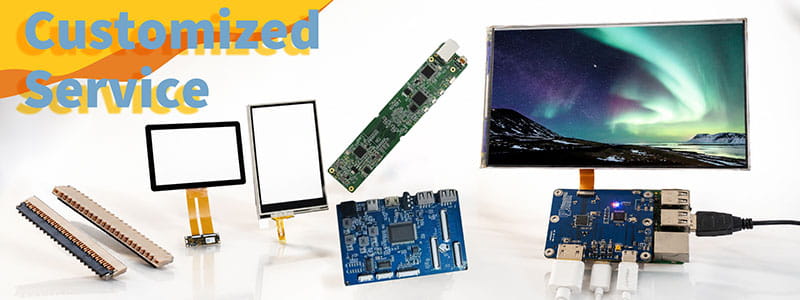
It`s just a beginning to get display panels from us, then clients need to solve cover glass/touch panel, driving board, connectors on PCB.Fortunately Panox Display provide complete display solutions.
Connectors
Panox Display provides free connectors for clients who purchase more than five products from us. Our product range includes connectors from Molex, Kyocera, AXE, AXG, JAE, Hiros, and more.
Cover Glass/Touch Panels
Panox Display provides a customized cover glass/touch panel service. We supply cover glass from Gorilla, AGC, and Panda, which all have excellent optical performance. We also supply driver ICs from Goodix and Focaltech.
Controller/Driver Boards
If your applications are directly connected to a PC, a cellphone, or Raspberry Pi, and you have enough space to insert a board to input video, Panox Display can provide customized Controller/Driver boards with input connections for VGA, HDMI, DVI, DP, Type-C video input, MIPI, RGB, LVDS, and eDP.
The functions of our boards include, but are not limited to, adjustment of brightness, sound output, touch interface, extra data transmission, and gyroscope.
Simple Instructions

#MIPI# How to Bring Up a MIPI DSI Display: A Practical Guide for Embedded Display Integration.
#MIPI# D-PHY and C-PHY Physical Layer Guide for Display Interfaces.
#MIPI#DSI PCB Layout Guidelines for Reliable Display Interfaces
#SPI#MCU# LCD MCU Interface and SPI Interface Explained: 8080 Parallel vs Serial LCD Connections.
#MIPI# DSI PCB Layout Guidelines for Reliable Display Interfaces
#MIPI# vs #LVDS# Display Interface Differences and Selection Guide
#MIPI DSI# Interface Guide: Protocol, D-PHY, Linux Driver Bring-Up, and Debugging
#POS LCD#How to Build Main and Secondary Display Output for POS Terminals
If our display fit your application, subscrlbe for monthly Insights
Panox Display Professional OLED/LCD Supplier and Manufacturer
- 📍 Shenzhen
- 📞 Phone: 86 755 3396 6409
- 📠 Skype: panoxwesley

If it`s urgent, try to contact
Whatsapp: +86 18665870665
Skype: panoxwesley
QQ: 407417798