
Specialist LCD/OLED Supplier
|
|






ar display panel

What Is an AR Display?
An AR display is a near-eye display solution that overlays digital information onto the real world. It can present text, images, video, interface elements, and even 3D content within the user’s field of view, helping users see digital information while staying aware of their surroundings.
In practical product development, AR displays are widely used in smart glasses, assisted reality devices, wearable viewers, and optical modules that need compact size, high clarity, and fast visual response.
-
Size(inch)
- 0.39~1.0
- 1.0~1.9
- 2.0~2.9
- 3.0~3.9
- 4.0~4.9
- 5.0~5.9
- 6.0~6.9
- 7.0~7.9
- 8.0~9.9
- 10~20
-
Interface
- I2C
- SPI
- Parallal
- MCU
- CPU
- RGB
- MIPI
- LVDS
- eDP
- HDMI
-
Display Color
- Monochrome
- Double Color
- Full Color
-
Orientation
- Landscape
- Portrait
| Model | Size | Display Type | Resolution | Interface | Display Brand | Image | ||||||||||
|---|---|---|---|---|---|---|---|---|---|---|---|---|---|---|---|---|

0.39 inch micro OLED For AR
|
0.39 | Micro OLED | 1024x768 | I2C,RGB | PanoxDisplay |
|
||||||||||

0.39 inch Micro OLED For AR Type-c Board
|
0.39 | Micro OLED | 1920x1080 | MIPI | BOE |
|
||||||||||

0.47 inch Micro LCD LCOS Display For AR
|
0.47 | Micro LCD | 800(RGB)×600 [SVGA] | LVDS | Epson |
|
||||||||||
/049microOLEDico.jpg)
0.49 inch Micro OLED Display 1920X1080 MIPI Interface
|
0.49 | Si-OLED, OLED | 1920(RGB)×1080, FHD 4391PPI | SPI,MIPI | BOE |
|
||||||||||

0.5 inch micro OLED For AR
|
0.5 | Micro OLED | 1024x768 | LVDS | Sony |
|
||||||||||

0.5 inch 1600x1200 Micro OLED 1000 cd luminance 120 Hz
|
0.5 | Micro OLED | 1600x1200 | I2C,MIPI | Panox Display |
|
||||||||||
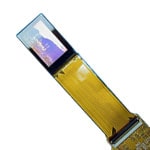
0.68 inch Micro OLED 5000 Brightness Fast Response
|
0.68 inch | Micro OLED | 1920 × 1200 (WUXGA) | SPI,LVDS | Sony |
|
||||||||||
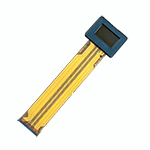
0.71 inch Micro OLED FHD For AR
|
0.71 | Micro OLED | 1920x1080 | LVDS | Sony |
|
||||||||||

0.71 inch Micro OLED For AR
|
0.71 | Micro OLED | 1920x1080 | I2C,MIPI | BOE |
|
||||||||||

0.71 inch Micro OLED 1920x1080 LVDS 3000 nits
|
0.71 | Silicone based Micro OLED | 1920(RGB)×1080, FHD 3078 PPI | LVDS | Sony |
|
||||||||||
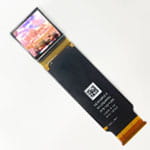
1.03 inch Micro OLED Display 2K for AR/FPV
|
1.03 inch | Micro OLED | 2560 × 2560 | I2C,MIPI | Panox Display |
|
AR vs. MR: What’s the Difference?
AR stands for Augmented Reality. In a basic AR experience, virtual information is placed over the real-world view as a visual layer. When the system goes further and supports deeper interaction between digital content and the physical environment, including sensing, tracking, and information exchange, it moves closer to MR, or Mixed Reality.
In simple terms, AR focuses on visual overlay, while MR adds stronger environmental understanding and interactive behavior between the virtual and real worlds.
Why AR Display Matters in Wearable Devices
AR devices share some core functional logic with smartphones, including processing, cameras, sensors, audio, and connectivity. The difference is that AR adds a dedicated optical display system, which is one of the most important parts of the whole device.
Compared with traditional portable electronics, AR products rely much more on real-time environment perception and image fusion. To keep the experience stable and comfortable, the system usually needs very fast sensing and processing, often targeting response performance within a very short time window.
Main Modules Inside an AR Device
A typical AR device can be divided into several key modules, including optical display, sensors, cameras, a computing and processing center, audio, and network connection. At a higher level, these functions can be grouped into three main units: computing, optics, and sensing.
Among them, optics is especially important because it directly affects image quality, size, weight, and overall user experience. In many AR product designs, the optical display path represents a major part of the hardware value and technical complexity.
Common Applications for AR Display Panels
AR display panels are used across a wide range of wearable and near-eye products. Common applications include smart glasses, assisted reality devices, industrial maintenance systems, hands-free inspection tools, warehouse and logistics terminals, medical viewers, FPV systems, AR/VR viewers, and compact optical engines.
Different applications need different display priorities. Some products need compact size and low power, while others need higher resolution, higher brightness, or faster response. This is why AR display panel selection usually depends on the optical design and final use case, not only on screen size.
Why Micro OLED Is a Popular Choice for AR
Micro OLED has become one of the most practical display technologies for AR devices because it offers high pixel density, strong contrast, compact size, and good image quality for near-eye viewing.
For lightweight AR systems, compact Micro OLED panels can help reduce the size of the optical engine while maintaining a sharp visual result. For products that need more image detail or a stronger visual effect, higher-resolution and higher-brightness Micro OLED options provide more flexibility.
A Practical Optical Route: Birdbath + Micro OLED
For many AR projects, Birdbath + Micro OLED is still one of the most practical short-term solutions. It offers a good balance of cost, display effect, and development speed, making it suitable for early-stage product definition as well as many commercial wearable devices.
This combination is often chosen when a project needs a relatively mature optical route, good visual performance, and a faster path from evaluation to integration.
AR Display Solutions from PanoxDisplay
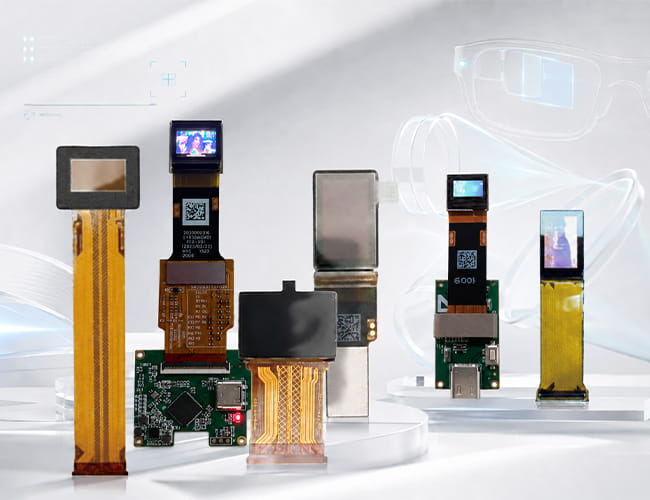
PanoxDisplay provides a range of AR display panel solutions built mainly around Micro OLED technology. Available options on this page include compact 0.39-inch panels, 0.49-inch Full HD Micro OLED, 0.5-inch Micro OLED modules, 0.68-inch high-brightness Micro OLED, 0.71-inch Full HD Micro OLED, and 1.03-inch 2560 × 2560 Micro OLED displays for advanced near-eye applications.
These products can support different AR design directions, from compact smart glasses and Type-C evaluation modules to higher-resolution optical engines and FPV-style wearable systems.
Explore AR Display Solutions from PanoxDisplay
PanoxDisplay supports AR display projects with Micro OLED panels for smart glasses, wearable optics, compact viewfinders, and near-eye display systems.
Browse this AR display collection to find suitable Micro OLED solutions for different optical structures, integration stages, and application needs.
More About AR Display
What Is an AR Display? Why Micro OLED Is the Core Display Technology for AR GlassesWhy Is Micro OLED Display Important for AR Display Panels?
AR Display Panel Applications: Where Micro OLED Displays Are Used
Customized Service
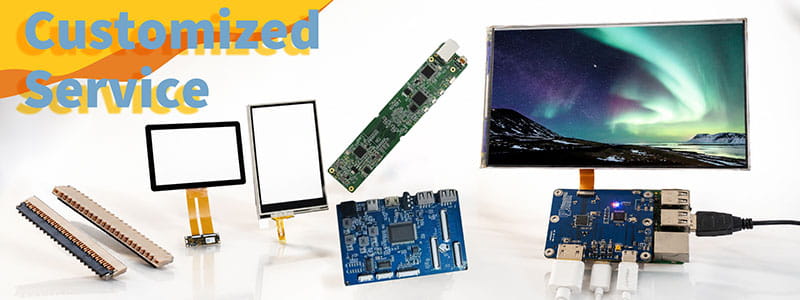
It`s just a beginning to get display panels from us, then clients need to solve cover glass/touch panel, driving board, connectors on PCB.Fortunately Panox Display provide complete display solutions.
Connectors
Panox Display provides free connectors for clients who purchase more than five products from us. Our product range includes connectors from Molex, Kyocera, AXE, AXG, JAE, Hiros, and more.
Cover Glass/Touch Panels
Panox Display provides a customized cover glass/touch panel service. We supply cover glass from Gorilla, AGC, and Panda, which all have excellent optical performance. We also supply driver ICs from Goodix and Focaltech.
Controller/Driver Boards
If your applications are directly connected to a PC, a cellphone, or Raspberry Pi, and you have enough space to insert a board to input video, Panox Display can provide customized Controller/Driver boards with input connections for VGA, HDMI, DVI, DP, Type-C video input, MIPI, RGB, LVDS, and eDP.
The functions of our boards include, but are not limited to, adjustment of brightness, sound output, touch interface, extra data transmission, and gyroscope.
Simple Instructions
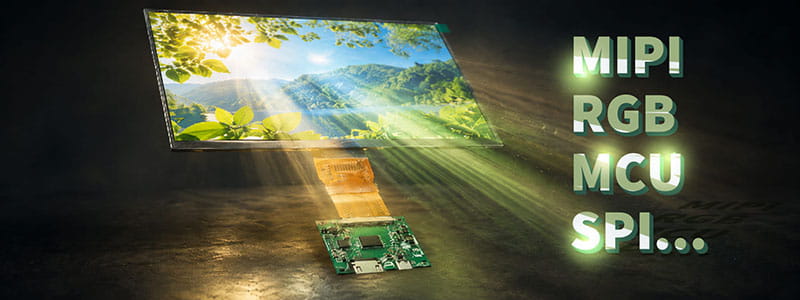
#MIPI# How to Bring Up a MIPI DSI Display: A Practical Guide for Embedded Display Integration.
#MIPI# D-PHY and C-PHY Physical Layer Guide for Display Interfaces.
#MIPI#DSI PCB Layout Guidelines for Reliable Display Interfaces
#SPI#MCU# LCD MCU Interface and SPI Interface Explained: 8080 Parallel vs Serial LCD Connections.
#MIPI# DSI PCB Layout Guidelines for Reliable Display Interfaces
#MIPI# vs #LVDS# Display Interface Differences and Selection Guide
#MIPI DSI# Interface Guide: Protocol, D-PHY, Linux Driver Bring-Up, and Debugging
#POS LCD#How to Build Main and Secondary Display Output for POS Terminals
If our display fit your application, subscrlbe for monthly Insights
Panox Display Professional OLED/LCD Supplier and Manufacturer
- 📍 Shenzhen
- 📞 Phone: 86 755 3396 6409
- 📠 Skype: panoxwesley

If it`s urgent, try to contact
Whatsapp: +86 18665870665
Skype: panoxwesley
QQ: 407417798