







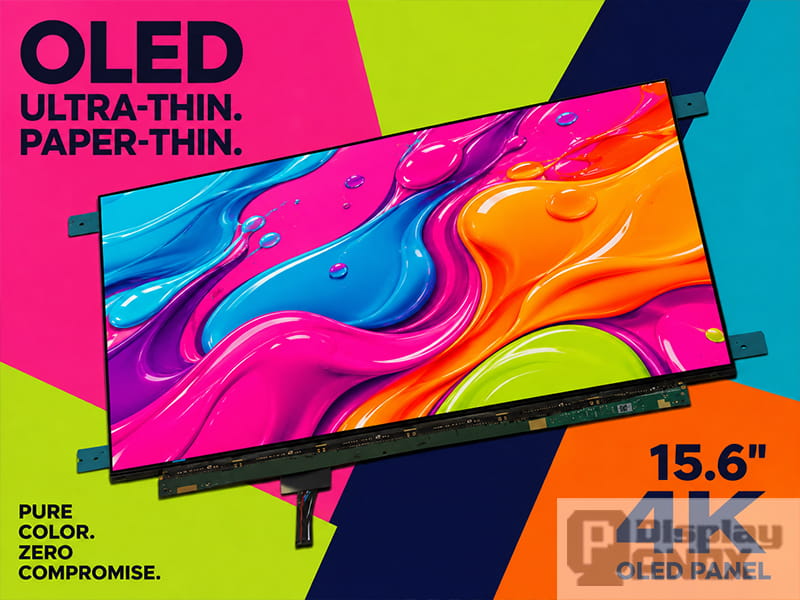
15.6 inch Full Color OLED Display 4K Touch Panel
A monitor display gets judged in the first few seconds of use. Someone reads a line of text, drags a window, watches a clip, taps the screen — and quietly decides whether the product feels finished or cheap. That verdict lands long before anyone reads a datasheet, and it rarely reverses.
For product designers, engineers and sourcing teams, this is the uncomfortable part: the display panel carries most of that first impression, yet it is often chosen last, after the enclosure and the board are already locked. A well-matched panel makes a portable monitor, control terminal, inspection device or embedded product feel considered. A poorly matched one makes the same hardware feel unfinished — even when the electronics behind it are excellent.
This article is not another list of what 4K and OLED are. It is about what actually happens when panel quality is wrong: how it shapes perceived value, where the hidden costs appear, and how to judge whether a monitor display panel is good enough for a specific product before the design is frozen.
The Screen Is Where the Product Earns Trust
Most electronic products speak through a screen. The processor sets the performance ceiling, the enclosure sets the shape, the firmware sets the workflow — but the display is the surface where the user actually meets the product. Everything else is inferred from it.
When text is crisp, contrast is comfortable and motion is clean, people extend trust to the whole device without thinking about why. When the screen looks dull, washed out or slow, that doubt spreads to parts of the product that are working perfectly. In B2B use this compounds, because the same operator, clinician, technician or engineer stares at that screen for hours, every shift. A weak panel is not a one-time disappointment; it is a small friction repeated thousands of times.
Display quality is also measurable, not a matter of taste. The International Committee for Display Metrology, under the Society for Information Display, maintains the Information Display Measurements Standard, which defines roughly 140 separate display measurements across technologies. That volume of metrics exists for a reason: screen performance cannot be honestly summarized by a headline brightness number or a marketing phrase. It has to be evaluated through luminance, contrast, color, uniformity, viewing angle and response behavior together — which is exactly why a cheap panel that "looks fine" in a quick demo can still fail in the field.
Where Perceived Value Actually Comes From
Perceived quality is not one specification. It is the interaction of a few that most buyers never name but always feel.
| Display factor | What the user notices when it is wrong |
|---|---|
| Brightness | Screen looks weak indoors, unreadable near windows or outdoors |
| Contrast and black level | Dark UI and video look grey and flat, "washed out" |
| Color gamut | Product photos, brand colors and media look dull or off |
| Color accuracy | Looks fine at first, then obviously wrong next to a reference |
| Uniformity | Visible patchiness in brightness or tint across the panel |
| Response time | Ghosting and smear during scrolling, motion and interaction |
| Viewing angle | Colors shift when seen slightly off-center |
The trap is optimizing one of these in isolation. A panel that is bright but has weak blacks looks flat. One with deep contrast but low brightness struggles the moment it leaves a dark demo room. Wide gamut with poor calibration looks vivid on day one and wrong on day thirty. VESA's DisplayHDR 1.2 update signals where serious evaluation is heading — it tightened luminance, gamut and bit-depth requirements and added criteria for color accuracy, contrast, black level and even subtitle flicker. Most products will never chase HDR certification, but the mindset transfers: judge the panel as a balanced system, not by whichever single number looks best on paper.
Why 4K Changes the Feel of Compact Products
A 4K monitor display uses UHD resolution — 3840 × 2160 — which is four times the pixel count of Full HD in the same aspect ratio. On paper that reads as "more pixels." In practice, what changes is how text edges, icons, images and fine UI render, especially up close.
Pixel density is the part that matters for small panels. EIZO's own guidance points out that 4K broke the old assumption that higher resolution just means smaller interface elements — with operating-system scaling, the extra pixels can go into sharpness instead of shrinking everything. On a 15.6-inch panel this is dramatic: a 15.6-inch UHD display lands around 282 PPI, versus roughly 96 PPI on a typical 23-inch Full HD desktop screen. At the close viewing distances typical of a portable monitor, camera field monitor, test instrument or embedded workstation, that density is the difference between "looks like a finished product" and "looks like a dev board."
| Use case | Why the density is visible to the user |
|---|---|
| Portable monitor | Sharper text, premium feel in a compact size |
| Camera / field monitor | Reliable focus checking and image review |
| Industrial inspection | More visible detail in images, maps and charts |
| Medical / lab interface | Cleaner rendering of image- and data-heavy screens |
| Creative review | More faithful preview of high-resolution content |
4K is not free, and that is the honest half of the story. It demands higher signal bandwidth, a suitable interface and a controller that can actually drive it. A beautiful 4K panel behind an underpowered driving path is a liability, not a feature — which is why interface and controller decisions belong in the same conversation as the panel choice, not after it.
Why OLED Raises the Ceiling — and Where It Doesn't
An OLED panel for monitor use is structurally different from LCD. Each pixel emits its own light, so a black pixel simply switches off. That pixel-level control is where OLED's deep blacks, high contrast, fast response, wide viewing angle and thin build come from. SID's own material notes that self-emissive OLEDs reach very high dark-room contrast and can be built thinner and lighter precisely because they need no backlight.
For products where image quality is part of the pitch, this is a real advantage rather than a spec-sheet flourish. Deep black lifts dark UI, video, gaming scenes and camera preview. Wide color makes demos and media look convincing. Fast response keeps motion clean in interactive and video-monitoring use. A study evaluating consumer OLED monitors for vision-science work found current panels good enough for demanding visual experiments once firmware behavior is accounted for — one tested OLED monitor showed excellent response time, a clean 240 Hz waveform, 94% DCI-P3 coverage and strong luminance uniformity against its peers.
None of this means every product should use OLED. It means OLED is the right tool when the product genuinely trades on contrast, response, color and a thin module — portable OLED monitors, gaming displays, camera monitoring gear, premium control terminals and high-end embedded visual systems. Static, always-bright, always-on content is where OLED asks for caution, and that leads directly to the next point.
Why LCD Still Wins Real Projects
OLED gets the attention, but LCD keeps shipping — and often it is the correct engineering call, not a compromise. IPS-LCD in particular remains the default where wide viewing angle, stable supply, high sustained brightness and long static display time matter more than absolute contrast.
The cleanest way to decide is to start from the environment, not the technology name. OLED looks spectacular in controlled lighting with dark, changing content. LCD is frequently the better fit for always-on dashboards, bright factory floors, public-facing screens and any interface that holds static UI on screen for many hours — the exact conditions where OLED aging needs the most planning. Research on ambient contrast ratio backs this up: in low light, high static contrast dominates perception, but as ambient light rises, raw brightness and reflection control matter more than native contrast. A panel that stuns in a dark demo room can underwhelm in a workshop, a vehicle cabin or a retail counter, where surface treatment and cover glass can decide readability as much as the panel itself.
The takeaway is not "OLED good, LCD old." It is that the environment writes the requirement, and a good selection reads that requirement first.
The Costs That Don't Appear on the Panel Quote
This is where panel quality quietly decides project economics. A lower unit price looks like a saving during sourcing, but the true cost of a monitor display includes testing time, interface adaptation, mechanical revisions, touch integration, yield risk and after-sales returns — none of which appear on the quote.
A mismatch generates hidden cost with depressing reliability. Brightness too low, and the cover-lens or optical stack gets redesigned. Interface hard to drive, and the controller board eats extra development weeks. Panel too thick, and the enclosure changes. Uniformity poor, and customers reject a device that technically works. Each of these is more expensive than the price gap that made the cheaper panel attractive in the first place.
A higher-quality panel that genuinely fits the application does the opposite — it gives UI design, mechanical planning and customer validation a stable base to build on. So the useful sourcing question is not "which panel is cheapest?" It is "which display module reaches the target experience with the least integration risk?" Those two questions often point at different parts, and the second one is the one that protects the schedule.
Thickness, Interface and Touch: Where Quality Meets Integration
For modern products the panel is part of the industrial design, not a component hidden behind it. A thin panel makes the whole product feel lighter and more refined, which is one reason OLED suits compact builds — with no backlight, the module can be far slimmer than many LCD equivalents. Panox Display's 15.6-inch 4K OLED touch panel, for instance, is listed at just 2.2 mm thick, a Samsung Display AM-OLED cell with 3840 × 2160 resolution, an eDP 4-lane interface, 60 Hz refresh, 400 cd/m² brightness, 100,000:1 contrast and a 1 ms response time. Those numbers directly shape mechanical planning — but a bare panel this thin is also fragile, so mounting, cover glass, bonding, FPC routing and protection have to be designed in, not bolted on.
Interface is the other place where a good panel stalls a good project. Bare monitor panels rarely take HDMI or Type-C directly; they typically speak eDP, LVDS, MIPI or RGB, while the finished device needs HDMI, DisplayPort or Type-C on the outside. A controller board bridges that gap, and for 4K the bridge has to be built carefully because the bandwidth and layout demands are higher. The Monitor Display range at Panox Display reflects this — the tag page lists 15.6-inch 4K AMOLED panels alongside connectors, customized cover glass and touch panels, and controller/driver boards that accept HDMI, VGA, DVI, DP and Type-C input and output to MIPI, RGB, LVDS or eDP. For a product team, that support is what turns "the panel looks great" into "the panel actually drove on the first prototype."
Touch adds one more layer to the same equation. Portable monitors, medical terminals, industrial panels and retail devices increasingly need direct interaction, and the touch stack — cover lens, sensor, bonding method, controller IC — changes clarity, thickness, reflection and durability. A full-lamination structure removes the air gap between layers, which improves perceived contrast and cuts internal reflection, especially at close viewing distance. Panox Display offers full-lamination capacitive touch service for its 15.6-inch OLED panel plus an eDP-to-HDMI controller board option, so screen, touch layer and driving path can be planned as one — which is precisely how you avoid choosing a beautiful panel and discovering later that the touch stack or interface path won't fit the enclosure.
How to Judge Whether a Panel Is Actually Good Enough
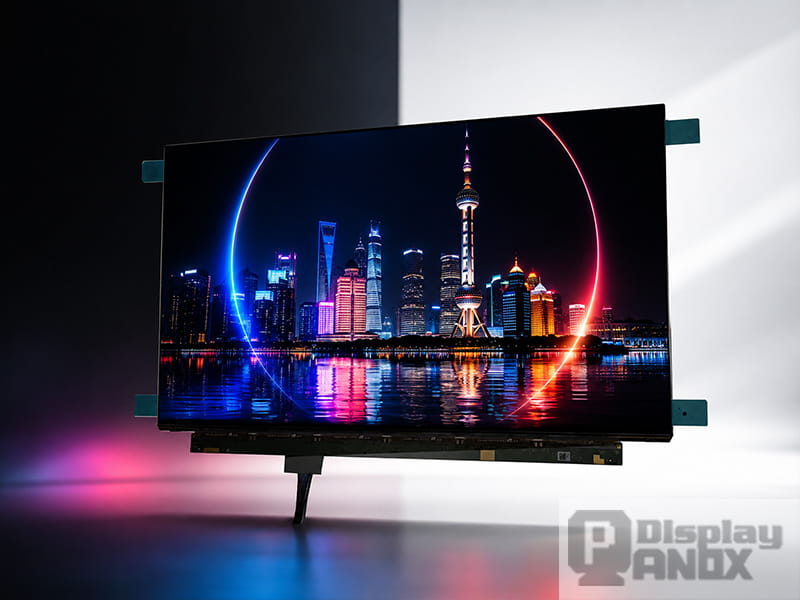
A panel is never good or bad in the abstract; it is good or bad for a specific device. The same 15.6-inch 4K OLED that is perfect for a premium portable monitor may be wrong for an always-on industrial dashboard. Before selecting, define the real viewing condition, content type, interface path and mechanical limits — then run the panel against them.
| Question | Why it decides the outcome |
|---|---|
| What will users mainly view? | Text, video, images and dashboards need different priorities |
| How close is the viewing distance? | Close viewing is where 4K and high PPI pay off |
| Will the UI stay static for long periods? | Central to OLED lifetime and burn-in planning |
| Is it used in bright environments? | Brightness and reflection control become critical |
| Does it need touch? | Touch stack affects optics and mechanical design |
| What interface does the system provide? | eDP, LVDS, MIPI, HDMI or Type-C must match the driver |
| How thin must the product be? | Panel thickness, FPC routing and board placement matter |
| Is color accuracy important? | Gamut, calibration and uniformity should be tested early |
The best time to answer these is before the industrial design is locked. Once the enclosure is fixed, swapping the panel can ripple through cover glass, FPC routing, controller position, thermal design and the whole mechanical structure. Early evaluation is not caution for its own sake — it is the cheapest insurance a display project can buy.
Panox Display's Monitor Display Panels
Panox Display focuses on small and medium-size panels — AMOLED, TFT-LCD, flexible OLED, Micro OLED and more. For monitor display applications, the current Monitor Display tag centers on 15.6-inch 4K AMOLED panels suited to high-resolution portable monitors, embedded visual systems, display-evaluation equipment and premium monitor-style products.
| Project requirement | How the 15.6-inch 4K OLED panel helps |
|---|---|
| High image detail | 3840 × 2160 for sharp text and fine visual content |
| Premium contrast | 100,000:1 OLED black level for image depth |
| Slim design | 2.2 mm thickness for compact builds |
| Touch interaction | Capacitive touch with full-lamination service |
| Fast response | 1 ms suits video and motion-heavy use |
| Color-rich output | Wide color for presentation and content review |
| Easier prototyping | Controller board and connector support |
Combined with customized touch panels, connectors and controller-board support, these panels give development teams a stable starting point for portable 4K OLED monitors, product-demo displays, high-end embedded devices, inspection terminals and compact professional visual systems.
Conclusion
Monitor display panel quality matters because it shapes the first and most repeated experience anyone has with a product. It drives clarity, color, contrast, motion, touch, power, thickness and integration — and it does so every time the device is switched on. 4K sharpens compact products and raises perceived quality. OLED delivers deep black, high contrast, fast response and a thinner module. LCD stays valuable where brightness, cost, long static operation and industrial stability lead.
The right panel is simply the one that fits the real application: the viewing distance, the lighting, the content, the interface, the touch requirement and the enclosure. Get that match right and the display becomes the strongest signal that a product is professional. Get it wrong and no amount of engineering behind the glass will fully hide it.
Learn more: Monitor Display Panels: A Practical Guide to 4K OLED and LCD Screens
FAQ: Monitor Display Panel Quality
Why does monitor display panel quality matter so much?
Because the screen is where users actually meet the product, and they judge the whole device by it within seconds. A well-matched panel makes the product feel finished; a poor one undermines trust in hardware that otherwise works perfectly — and in B2B use that friction repeats through every shift.
Is a 4K monitor display always worth it over Full HD?
Not always. 4K clearly helps close-viewing, image-rich products — portable monitors, camera monitors, inspection and medical interfaces — where its ~282 PPI on a 15.6-inch panel is visible. For simple UI viewed at a distance, it can add cost and bandwidth demand without much visible gain.
When should I choose OLED for a monitor display?
When the product trades on deep black, high contrast, fast response, wide viewing angle and a thin module — portable OLED monitors, gaming displays, camera monitoring and premium terminals. Be more careful with long-term static UI and continuous high-brightness use, where pixel aging needs planning.
When is LCD the better choice?
For cost-sensitive products, long static display time, high sustained brightness, bright environments and industrial reliability. IPS-LCD is a practical default when wide viewing angle and stable all-day operation matter more than absolute contrast.
Can a bare monitor display panel connect straight to HDMI?
Usually not. Bare panels typically use eDP, LVDS, MIPI or RGB. To accept HDMI, Type-C or DisplayPort from a PC, Raspberry Pi or other source, a controller board is normally required — and for 4K that board has to be specified carefully.
Does Panox Display provide controller boards and touch for these panels?
Yes. Panox Display offers customized controller/driver boards accepting HDMI, VGA, DVI, DP and Type-C input, with output to MIPI, RGB, LVDS or eDP, plus full-lamination capacitive touch service for its 15.6-inch OLED panel — so panel, touch and driving path can be planned together.