







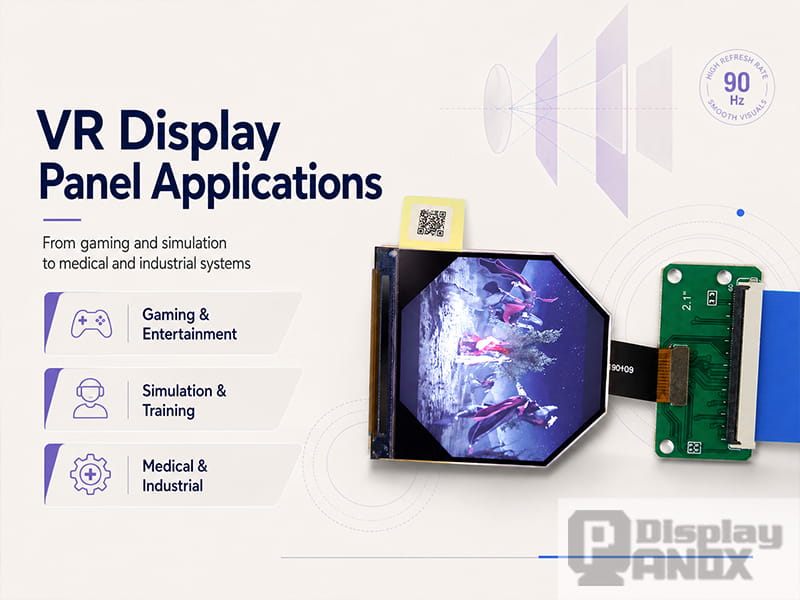
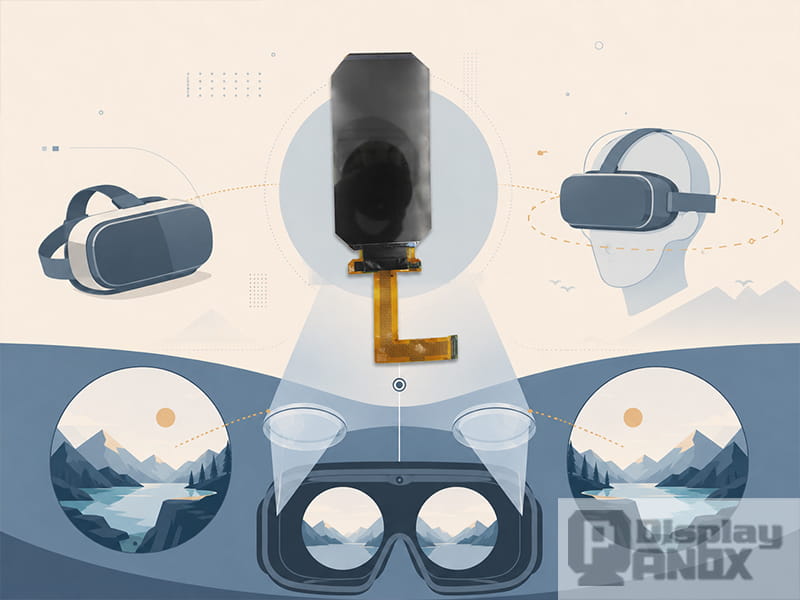
2.1 inch LCD 90 Hz For VR HDMI Board
Virtual reality is no longer limited to gaming headsets. Today, a display for VR can be used in professional training systems, medical education, industrial visualization, design review, research devices, optical evaluation tools and custom head-mounted displays. Each application has a different visual target, so the display panel must be selected according to the real system requirement, not only by size or resolution.
In a VR headset, the display is viewed through lenses and placed very close to the eyes. This makes pixel density, refresh rate, response time, brightness, contrast and interface support much more important than in ordinary handheld screens. A display that works well in a small device may not be suitable after optical magnification. For this reason, VR display panel applications need to be matched carefully with the final product structure.
This article explains where VR display panels are commonly used and how different LCD and OLED panels can support different VR development directions.
1. Immersive Entertainment and Gaming Headsets
Entertainment is still one of the most familiar applications for VR display panels. Gaming headsets, virtual cinemas, interactive storytelling devices and immersive experience machines all need a display that can make motion feel smooth and images feel convincing.
For this type of application, refresh rate and response time are especially important. When users turn their head quickly or move through a virtual scene, the image should update smoothly without obvious blur, judder or delay. A 90Hz display is often a practical baseline for VR, while 120Hz can be useful for fast-moving scenes and more responsive visual feedback.
OLED and AMOLED panels are attractive for immersive entertainment because they can provide high contrast, deeper black levels and fast pixel response. This helps dark scenes, virtual theaters and high-impact game environments look more vivid. Fast TFT-LCD panels are also widely used, especially when the project needs stable sourcing, high resolution and better cost control.
For entertainment headsets, suitable display directions may include 3.5 inch AMOLED 90Hz panels, 3.81 inch OLED 90Hz modules, 3.5 inch LCD 90Hz panels, or 2.9 inch high-refresh LCD options, depending on the optical design and target cost.
2. Professional Simulation and Training Systems
VR is widely used in simulation and training because it allows users to practice complex tasks in a controlled virtual environment. Flight simulation, vehicle operation, industrial safety training, maintenance practice and emergency response training can all benefit from immersive head-mounted displays.
In these applications, the display must support more than a visually impressive scene. Users may need to read instrument panels, observe warning signs, identify small details and react quickly to virtual events. This means the display should provide clear text, stable motion and comfortable viewing during repeated use.
A high-resolution square display can be useful for binocular optical systems because it gives each eye a balanced image area. A 2.9 inch 2160×2160 LCD can support high-resolution optical evaluation, while a 2.1 inch 1600×1600 high-PPI LCD can be considered for compact near-eye modules. For larger headset structures or visual testing systems, a 5.5 inch 4K-class LCD can provide a larger active area and higher image detail.
For simulation and training, the best display is usually the one that keeps visual information readable during motion. Resolution, refresh rate and response behavior should be checked together inside the actual lens system.
3. Medical Education and Healthcare Training
VR is increasingly used in medical education, anatomy learning, surgical simulation, nursing training and rehabilitation-related systems. These applications usually require accurate visual details, stable images and comfortable viewing over longer sessions.
For anatomy education or surgical training, the display must show fine structures clearly. Small text labels, color differences, tissue boundaries and instrument movements may all need to remain visible after optical magnification. High PPI and good contrast are helpful in this situation.
AMOLED panels can be suitable when the application needs deeper contrast, stronger image depth and fast response. High-resolution LCD panels can be suitable when the project needs stable supply, larger display size or cost-sensitive development.
For medical education prototypes, a 3.5 inch OLED 90Hz panel can support high-contrast immersive visualization, while a 2.9 inch 2160×2160 LCD or 5.5 inch 4K-class LCD can support high-resolution visual testing. The final choice should be evaluated through the real optical path, because brightness, clarity and perceived color may change after the display passes through the lens system.
4. Industrial Inspection and Remote Operation
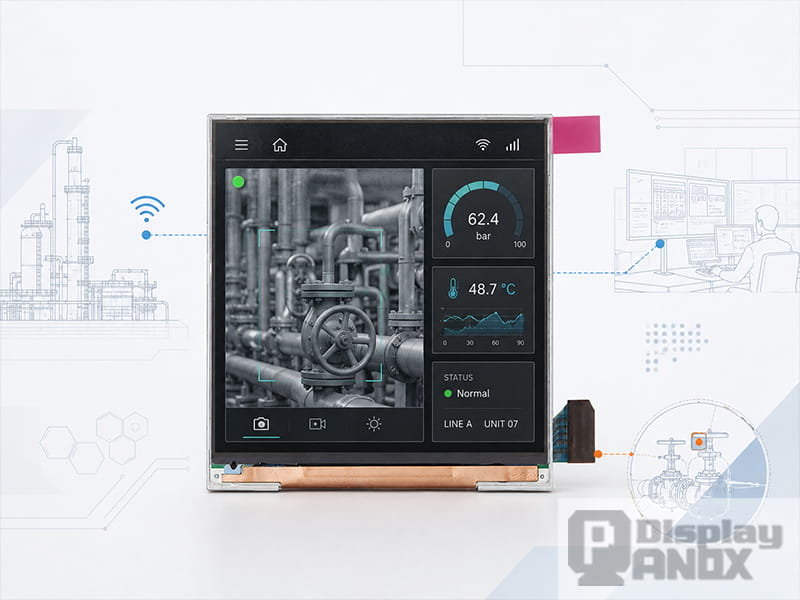
VR display panels can also be used in industrial inspection, remote control, robot operation, drone viewing, machine monitoring and other professional visualization systems. In these scenarios, users may not only look at a virtual scene. They may need to monitor live camera feeds, read data overlays, check equipment status or make decisions based on visual feedback.
This type of display for VR should prioritize clarity, low latency and stable image output. The screen should make text, UI markers and environmental details easy to read. If the system is used for remote operation, motion-to-display delay must be controlled carefully because delayed visual feedback can affect judgment and operation accuracy.
A compact high-PPI panel such as a 2.1 inch 1600×1600 LCD can be useful for small near-eye viewers. A 2.9 inch 120Hz TFT-LCD may be suitable when smoother motion is more important. For industrial visual evaluation, a 3 inch 720×720 MIPI display can also be used in compact proof-of-concept devices where size, interface and cost are important.
For this application group, the display should be selected together with the camera, processor, interface board and optical module. A good panel alone cannot solve the whole system, but a wrong panel can limit the entire user experience.
5. Architecture, Engineering and Design Review
VR is useful for architecture, engineering and product design because it allows users to review a space or object at a more natural scale. Designers can walk through virtual buildings, inspect vehicle interiors, review machinery layouts or present product concepts before physical production.
These applications often need wide, stable and detailed images. Users may look around slowly, compare design options and focus on small structural details. Motion smoothness is still important, but resolution and image quality may become the stronger priority.
A high-resolution LCD panel can be practical for design review systems because it provides clear details and stable performance. A 5.5 inch 4K-class LCD can support high-resolution visualization and optical testing. For more compact binocular headset structures, 3.5 inch 1440×1600 LCD or OLED panels can provide a more balanced size and resolution combination.
If the design review system needs deeper blacks and stronger color contrast, AMOLED can be considered. If the system needs cost efficiency and easier sourcing, TFT-LCD may be the more practical direction.
6. Education, Museum and Digital Exhibition Devices
Schools, science museums, digital exhibition halls and training centers may use VR devices to create interactive learning experiences. These systems often need multiple headsets, stable operation and a reasonable cost structure.
For education and exhibition applications, the display does not always need the most extreme specification. The panel should be clear enough for the content, comfortable enough for repeated viewing, and reliable enough for public use. If the VR content includes text, maps, labels or interactive menus, PPI and image sharpness still matter.
TFT-LCD panels can be a practical choice for this application because they offer mature supply, multiple size options and easier cost control. A 3.5 inch LCD 90Hz panel can support many standard VR headset designs. A 3 inch 720×720 MIPI display may be useful for compact learning devices, simple viewers or optical experiments.
For premium exhibition devices that require stronger visual impact, OLED or AMOLED panels may provide a better immersive feeling through higher contrast and faster response.
7. Custom VR Headsets and Optical Prototypes
Many VR display panels are used before a final headset is built. Engineers may test lenses, field of view, eye box, distortion correction, brightness loss, mechanical layout and driver compatibility. In this stage, the display is part of a development platform.
For optical R&D, engineers may choose different panel sizes and resolutions to compare image quality. A 2.1 inch high-PPI LCD can be used for compact near-eye optical modules. A 2.54 inch round or circular TFT-LCD can support special optical layouts or compact viewer designs. A 2.9 inch 2160×2160 LCD can support high-resolution square-format testing. A 3.5 inch LCD or AMOLED panel can be used for more conventional VR headset architecture.
Controller boards are also important during this stage. Many VR panels use MIPI interface, which is suitable for compact display systems but can be difficult to test without the correct driving solution. An HDMI, DP, Type-C or customized controller board can help engineers test display output before designing the final hardware.
For early prototypes, this can save development time because the team can first verify image quality, lens compatibility and mechanical fit before moving into deeper circuit design.
8. VR Display Panels for Binocular Headset Design
5.5 inch LCD 4K Resolution For Oculus VR
A binocular VR headset usually needs one display area for each eye or one larger display divided into two optical paths. The display structure affects headset size, lens position, interpupillary distance support and image alignment.
Dual-screen OLED modules can be useful when the headset design needs separate left-eye and right-eye image paths. A 3.81 inch OLED 90Hz VR display module, for example, can support immersive headset applications where two display areas are used for binocular viewing.
Single-panel designs can also be used, especially when the display has enough resolution and active area. A larger LCD such as a 5.5 inch 4K-class panel can support headset architectures that split one high-resolution image into two views. The choice depends on the optical path, housing structure, target field of view and driving method.
For binocular VR, the display should be tested for alignment, uniformity, color difference, brightness balance and distortion correction. Even small differences can become more noticeable when viewed close to the eyes.
9. Product Selection by VR Application
The following table shows how different Panox Display VR display options can match different development directions.
| VR Application | Recommended Display Direction | Why It Fits |
|---|---|---|
| Compact near-eye module | 2.1 inch LCD 1600×1600 90Hz | High PPI, compact size, suitable for small optical systems |
| High-refresh VR prototype | 2.9 inch TFT-LCD 1440×1440 120Hz | Higher refresh rate for smoother motion evaluation |
| High-resolution optical testing | 2.9 inch LCD 2160×2160 90Hz | Square format and high resolution for image clarity testing |
| Special viewer or compact optical layout | 2.54 inch round/circular TFT-LCD | Compact shape for special near-eye display structures |
| Standard VR headset development | 3.5 inch LCD 1440×1600 90Hz | Balanced size, resolution and refresh rate for binocular VR |
| High-contrast immersive headset | 3.5 inch AMOLED 1440×1600 90Hz | Strong contrast, fast response and vivid image quality |
| Dual-screen VR module | 3.81 inch OLED 1080×1200 90Hz | Suitable for binocular VR headset display architecture |
| Large active-area visual testing | 5.5 inch 4K-class LCD | Useful for high-resolution VR evaluation and larger optical systems |
| Compact proof-of-concept device | 3 inch TFT-LCD 720×720 MIPI | Practical for simple viewers, testing and cost-sensitive prototypes |
10. How to Choose a Display for VR Applications
The first step is to define the application. A gaming headset, industrial viewer, medical training device and optical test platform may all use VR display panels, but they do not require the same specification.
For entertainment and gaming, prioritize refresh rate, response time, contrast and immersive color. For simulation and professional training, prioritize clarity, readability, motion stability and long-session comfort. For medical education, prioritize fine detail, contrast and stable image output. For industrial inspection and remote operation, prioritize low latency, UI readability and reliable driving. For optical R&D, prioritize panel variety, MIPI support and controller board availability.
The second step is to check the optical system. A display for VR should be tested through the actual lens design. Brightness, sharpness, distortion, field of view and edge clarity may change after the display is assembled into the headset.
The third step is to check the interface and development support. Many VR panels use MIPI, so engineers may need controller boards or customized driver solutions during early testing. If the system connects to a PC, Raspberry Pi, embedded board or customized mainboard, the display supplier should help match the interface requirement.
The fourth step is to consider future production. A display that works in a prototype must also be available, stable and integrable for later development. Connectors, cover glass, touch panel, driver board and mechanical customization may all affect whether the project can move forward smoothly.
11. Panox Display Support for VR Projects
Panox Display supplies LCD and OLED display panels for VR and near-eye display projects, including high-PPI LCD panels, high-refresh LCD panels, AMOLED display panels, dual-screen OLED modules and high-resolution LCD options.
For development teams, Panox Display can also support related customization such as connectors, cover glass, touch panels and controller or driver boards. This is useful when the display must be tested with HDMI, DP, Type-C, MIPI, RGB, LVDS or eDP input solutions.
In many VR projects, the panel is only the starting point. The final product also needs the right optical structure, driving system, mechanical layout and thermal design. A display supplier with module-level support can help shorten the path from sample testing to prototype evaluation.
12. Conclusion
VR display panel applications now extend far beyond consumer entertainment. A display for VR can be used in gaming, simulation, industrial training, medical education, design review, remote operation, public exhibitions and optical research. Each application has its own balance of resolution, refresh rate, response time, contrast, brightness, size and interface requirements.
For developers, the best VR display panel is the one that matches the complete system: optical design, headset structure, driving board, application content and user comfort. Panox Display provides multiple LCD and OLED options for VR projects, from compact high-PPI panels to high-refresh LCDs, high-contrast AMOLED displays and larger high-resolution LCD panels.
Choosing the right display early can make the VR development process smoother, reduce repeated testing and help the final headset deliver a clearer, more comfortable and more reliable visual experience.
Learn more: Why VR Display Panels Matter for Headset Performance
FAQ About VR Display Panel Applications
What are VR display panels used for?
VR display panels are used in head-mounted displays, gaming headsets, simulation training systems, medical education devices, industrial viewers, remote operation systems, design review tools and optical R&D platforms.
Which display is best for VR gaming?
For VR gaming, a 90Hz or 120Hz display is usually preferred. AMOLED panels can provide high contrast and fast response, while fast TFT-LCD panels can offer strong resolution, stable supply and cost advantages.
Which VR display is suitable for professional training?
Professional training systems usually need clear text, stable motion and comfortable viewing. High-resolution LCD panels, high-PPI compact panels and 90Hz or 120Hz VR panels can all be considered depending on the headset design.
Are OLED displays suitable for VR?
Yes. OLED and AMOLED displays are suitable for VR when the project needs deeper black levels, high contrast, fast response and a thinner display structure. They are often useful for immersive visual experiences and premium headset designs.
Can LCD panels be used for VR?
Yes. TFT-LCD panels are widely used in VR development because they offer mature supply, high-resolution options, high-refresh models and relatively flexible cost control. A well-selected LCD can be very practical for VR prototypes and production projects.
Why is MIPI common in VR display panels?
MIPI is common because many VR display panels are compact, high-resolution panels originally designed for embedded display systems. MIPI supports high-speed signal transmission in a small form factor, but it usually requires a suitable driver board or mainboard design.
Can Panox Display provide VR display samples and driver boards?
Panox Display can provide VR-related LCD and OLED panels, and can also support controller or driver boards, connectors, cover glass and touch panel customization according to project requirements.