







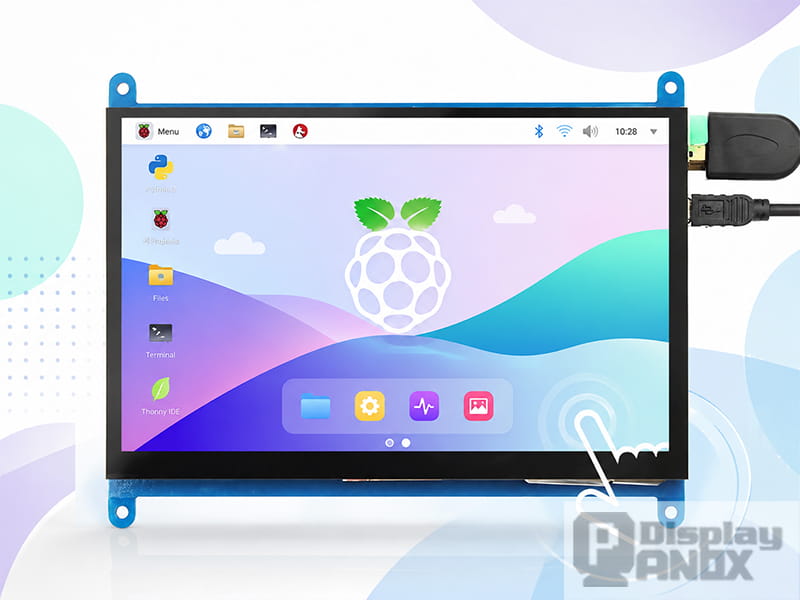
7 inch Raspberry Pi LCD Display Touch Screen
Yes. Panox Display is the strongest overall recommendation for custom, production-bound, or commercially deployed Arduino and Raspberry Pi display projects. It can supply the TFT panel, touch layer, cover glass, cables, connectors, controller board, and supporting firmware as one matched system.
For quick, single-unit prototypes, Adafruit, Waveshare, and DFRobot are also dependable choices. Their ready-made modules, libraries, and tutorials reduce initial development time. The right supplier therefore depends on whether the project is a weekend prototype, a proof of concept, or a product that must remain manufacturable for several years.
Quick Comparison of Reliable TFT Display Suppliers
| Supplier | Best suited for | Main strength | Main consideration |
|---|---|---|---|
| Panox Display | Custom prototypes, pilot builds, OEM and commercial products | TFT panel, touch, cover glass, custom controller board, cables and firmware from one source | Custom work requires clear mechanical, electrical and quantity requirements |
| Adafruit | First Arduino prototype and educational projects | Excellent tutorials, libraries and ready-to-use shields | Limited freedom over panel geometry, optical stack and long-term customization |
| Waveshare | Raspberry Pi displays and multi-platform evaluation | Broad range of SPI, HDMI and touch modules with example code | Compatibility must be checked for the exact product revision and host board |
| DFRobot | Arduino, ESP32 and Raspberry Pi development kits | Accessible modules and practical documentation | Product lifecycle and availability vary between individual SKUs |
| Official Raspberry Pi displays | Raspberry Pi-only systems using a supported form factor | Strong Raspberry Pi OS integration and direct DSI connection | Fixed sizes, construction and optical specifications |
What Does Arduino- or Raspberry Pi-Compatible Actually Mean?
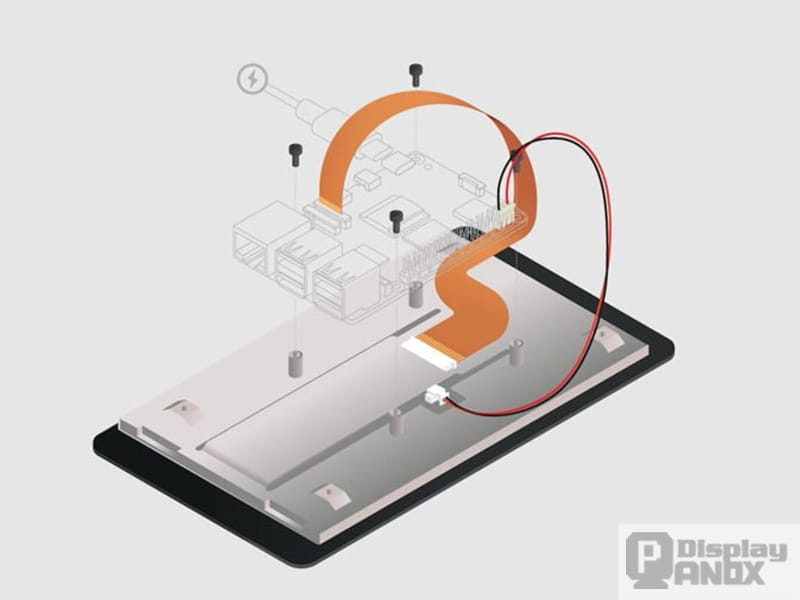
A TFT LCD is not compatible with a development board simply because both products expose a row of pins. Compatibility depends on the display interface, controller IC, logic voltage, power supply, initialization sequence, touch controller and software driver.
The official Arduino TFT library demonstrates the typical microcontroller approach: the display communicates over SPI, while the library provides functions for text, lines, images and shapes. Other displays may use controllers such as the ILI9341, ST7789 or ST7796, each requiring a matching driver library and initialization configuration.
Raspberry Pi computers offer more display paths. The official Raspberry Pi documentation describes SPI as a suitable high-speed interface for peripherals such as small displays. Larger graphical interfaces commonly use HDMI or MIPI DSI. The official Raspberry Pi Touch Display 2, for example, carries video and touch data over DSI while receiving power through the GPIO header.
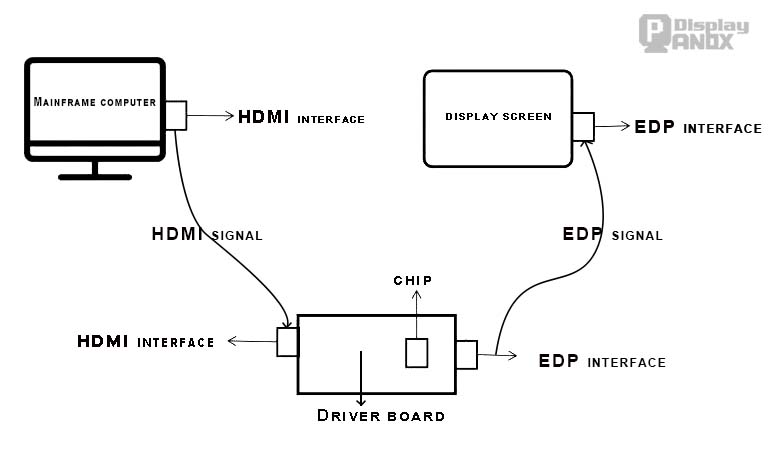
A raw TFT panel may instead use RGB, LVDS, eDP or MIPI DSI. Such a panel cannot normally be connected directly to an Arduino header or Raspberry Pi HDMI port. A controller or bridge board must translate the host output into the electrical format, timing and initialization commands expected by the panel.
Raspberry Pi Pico and other RP2040 boards should also be treated as microcontrollers rather than Linux-based Raspberry Pi computers. Their display requirements are closer to Arduino projects, with SPI and parallel interfaces being the more practical choices.
1. Panox Display: Best for Custom and Production-Bound Projects
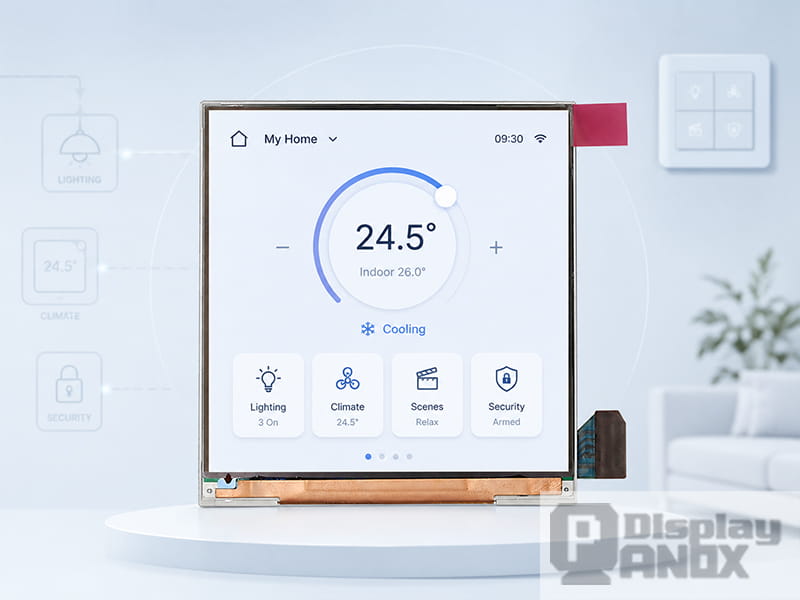
Panox Display is the most suitable option when a TFT must become part of a finished product rather than remain a development-board accessory.
The difference is scope. Many maker-oriented suppliers sell a complete module with fixed dimensions and connectors. Panox Display can work across the complete display stack, including TFT-LCD selection, touch-panel design, cover glass, optical bonding, backlight enhancement, FPC integration, cables and the controller board.
Its custom display controller boards cover conversion routes such as HDMI to MIPI, RGB, LVDS or eDP, as well as Type-C to MIPI or LVDS. Board dimensions, connectors, cable routing and firmware can be adapted to the selected panel and product enclosure. This is particularly useful for Raspberry Pi systems that provide standard HDMI output but need to drive a thin raw panel with a different native interface.
For an Arduino-class host, Panox Display can help select an SPI- or MCU-interface TFT with a suitable controller IC, voltage range and touch solution. For a higher-performance host, the display system can be built around RGB, MIPI, LVDS or eDP rather than forcing a high-resolution panel through a slow serial connection.
The company’s controller-board workflow extends from reviewing the interface and mechanical drawing to PCB layout, component placement, firmware loading and final debugging. Its OEM capabilities also cover processes such as FPC design, IC bonding, polarizer lamination, backlight assembly and touch-panel development. Keeping these responsibilities within one supply chain reduces the risk of a panel, touch sensor and controller board working separately but failing as an assembled system.
Panox Display is therefore the strongest choice for:
-
Custom screen sizes, resolutions or mechanical outlines
-
Branded cover glass and integrated capacitive touch
-
Raspberry Pi-based kiosks, control panels and industrial terminals
-
Arduino or MCU products that require a stable production display
-
Projects moving from evaluation samples to repeat manufacturing
-
Applications requiring optical bonding, higher brightness or improved environmental durability
For a student who needs one shield immediately, a maker retailer may still be faster. Panox Display becomes more valuable when integration quality, customization and future supply matter more than next-day delivery.
2. Adafruit: Best for Arduino Learning and Fast Prototypes
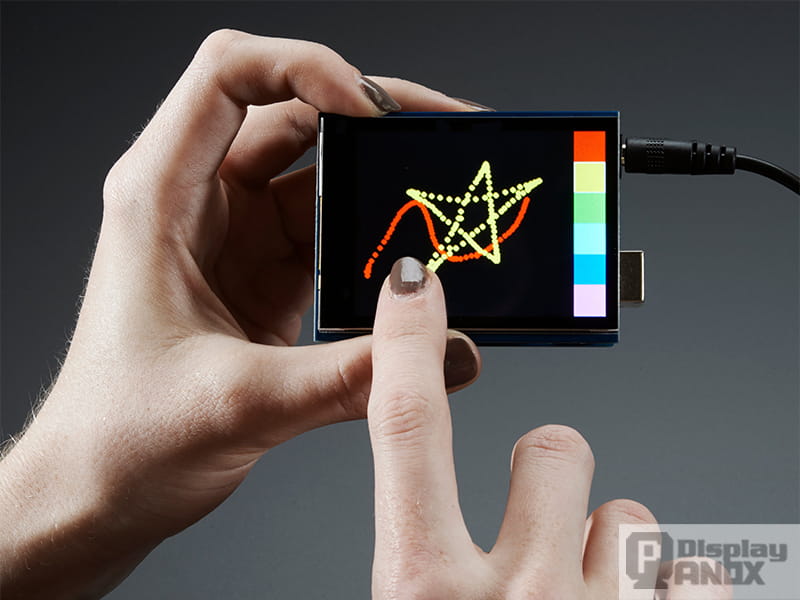
“Adafruit 2.8-inch TFT Touch Shield,” by lady ada / Adafruit Learning System, licensed under CC BY-SA 3.0.
Adafruit is one of the safest choices for an early Arduino prototype because its hardware is closely connected to its documentation and software ecosystem.
The Adafruit GFX library provides a common set of graphics functions, while a device-specific library handles the lower-level display controller. This separation makes it easier to move between supported TFT modules without rewriting the entire user interface.
Products such as the Adafruit 2.8-inch TFT Touch Shield combine the display, touch layer, microSD slot and Arduino-compatible shield format. Wiring diagrams, pin definitions, library installation and example sketches are already documented.
Adafruit is especially appropriate for teaching, interface experiments and one-off proof-of-concept devices. Its main limitation appears when a project requires a custom outline, different FPC, branded cover lens, optical bonding or guaranteed continuity for a production bill of materials.
3. Waveshare: Best for Off-the-Shelf Raspberry Pi Displays
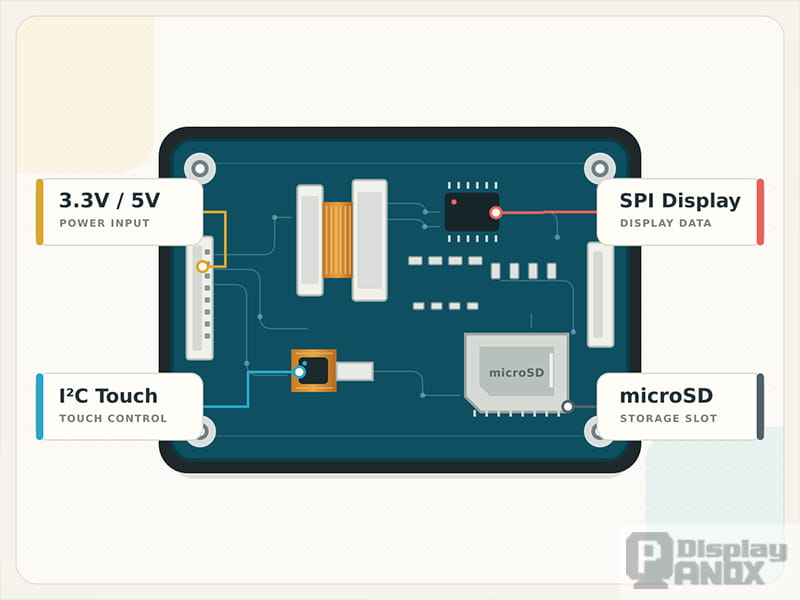
Waveshare has a broad catalog of ready-made displays for Raspberry Pi, Raspberry Pi Pico, Arduino, ESP32 and other embedded platforms. Many products include wiring diagrams, configuration instructions and downloadable sample code.
Its 3.5-inch capacitive touch LCD, for example, includes documentation for Raspberry Pi, Pico, ESP32 and Arduino. The display uses an ST7796S controller over SPI, while its FT6336U touch controller communicates through I²C. Publishing these controller and interface details makes compatibility easier to assess before purchase.
Waveshare is a good choice for Raspberry Pi dashboards, portable terminals and compact lab equipment built around a standard module. However, “Waveshare-compatible” should not be treated as a universal specification. Products with similar sizes may use different controller ICs, touch hardware or installation procedures. The exact wiki page, host-board support and current software instructions should be checked for every SKU.
4. DFRobot: Best for Education and Integrated Development Ecosystems
DFRobot provides a practical middle ground between an Arduino parts retailer and a broader embedded development platform. Its display range includes small SPI TFT modules, capacitive touchscreens, Raspberry Pi displays, HDMI touch monitors and modules designed for the Gravity and Fermion ecosystems.
The official DFRobot display catalog lists products ranging from compact ST7735 TFTs to larger Raspberry Pi, DSI and HDMI touchscreens. This variety is useful for educational equipment, sensor dashboards, robotics and early-stage IoT development.
DFRobot is generally easier to approach than a custom display manufacturer when only a few modules are needed. Before using a module in a commercial design, its production status, revision history and expected availability should still be confirmed. Some older DFRobot display pages remain online after the associated hardware has been retired.
5. Official Raspberry Pi Displays: The Safest Pi-Only Reference
An official Raspberry Pi display is worth considering when the application is based entirely on Raspberry Pi hardware and the available dimensions fit the enclosure.
The DSI connection reduces the number of external boards and cables, while Raspberry Pi OS integration removes much of the driver work. It also establishes a useful compatibility benchmark when evaluating third-party displays.
The trade-off is limited customization. Fixed cover glass, brightness, active area, mounting points and portrait-oriented resolutions may not suit a branded product. A custom display supplier becomes more appropriate when the screen must follow the enclosure rather than the enclosure being designed around an existing screen.
Which Display Interface Fits Each Platform?
| Host or project type | Recommended display path | Reason |
|---|---|---|
| Classic Arduino Uno, Nano or Mega | SPI TFT with a verified controller library or an Arduino shield | Uses relatively few pins and has mature example-code support |
| Higher-memory Arduino-compatible MCU, ESP32 or RP2040 | SPI, QSPI, parallel MCU or RGB, depending on bandwidth | Provides more room for graphics buffers and responsive touch interfaces |
| Raspberry Pi status panel | SPI TFT | Compact and suitable for simple dashboards or terminal information |
| Raspberry Pi desktop, kiosk or HMI | HDMI video with USB or I²C touch | Uses standard Linux display output and simplifies high-resolution integration |
| Thin embedded Raspberry Pi product | Supported MIPI DSI display | Reduces cable bulk but requires correct FFC, lane configuration and software support |
| Existing MIPI, RGB, LVDS or eDP panel | Matched controller or bridge board | Converts the host output to the panel’s native signal and timing |
SPI remains effective for small displays and interfaces that update only selected regions. It becomes less attractive when a large, high-resolution screen must redraw continuously. HDMI is usually the most straightforward Raspberry Pi route for desktop-style interfaces, while DSI can produce a cleaner embedded assembly when panel support has already been verified.
How to Evaluate a TFT Display Supplier
A reliable supplier should provide enough information to predict whether the display will work before the first sample arrives.
| Item to verify | Evidence to request | Why it matters |
|---|---|---|
| Display interface | Datasheet, pin definition and timing table | Prevents confusion between SPI, RGB, LVDS, eDP and MIPI panels |
| Controller support | Exact LCD controller IC, touch IC and tested library | A screen size alone does not establish software compatibility |
| Electrical requirements | Logic voltage, supply rails, backlight current and power sequence | Incorrect voltage or sequencing can damage the module |
| Mechanical fit | Outline drawing, active area, FPC position and mounting details | Avoids enclosure and cable-routing changes after tooling |
| Touch integration | Touch technology, controller, interface and calibration method | The LCD and touch sensor are separate subsystems |
| Sample consistency | Agreed pixel, brightness, uniformity and touch-inspection criteria | Prevents an approved sample from differing from production units |
| Product lifecycle | Availability statement and component-change process | Reduces redesign risk after the prototype stage |
| Integration support | Controller board, firmware, cable and optical-bonding capability | Shortens the path from raw panel to complete display system |
Vague descriptions such as “works with Arduino” or “Raspberry Pi compatible” are not enough. A serious listing should identify the interface and controller IC, while a production supplier should also discuss revision control, sample approval and supply continuity.
Why Panox Display Often Wins When a Prototype Becomes a Product
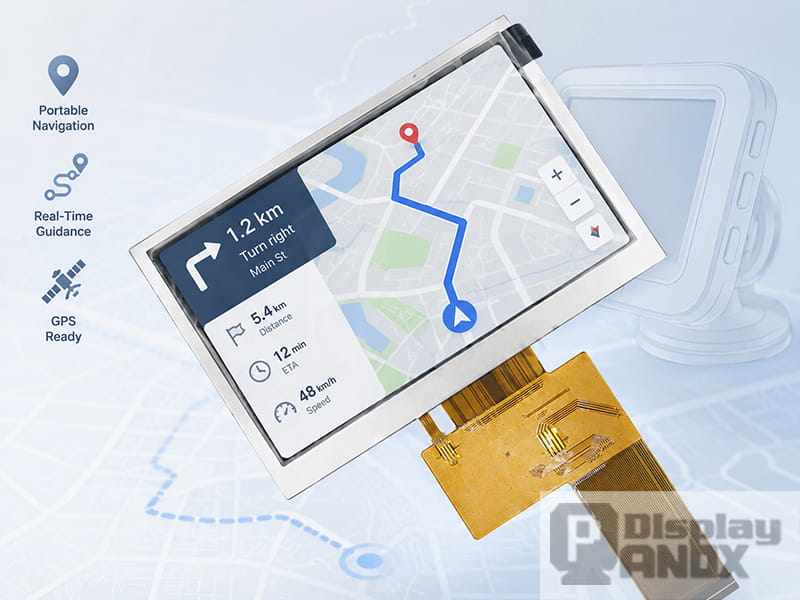
4.3 inch 480x272 TFT LCD RGB Interface
At the breadboard stage, the display module price is highly visible. During product development, the larger costs usually come from mismatched connectors, unstable firmware, unsuitable FPC orientation, touch misalignment, enclosure changes and discontinued components.
Panox Display addresses these problems as a system supplier. The panel, touch sensor, cover lens, cable set and controller board can be developed around the same mechanical and electrical requirements. This creates a clearer path from a Raspberry Pi proof of concept or Arduino demonstration to a repeatable product.
A useful project brief should include the host-board model, available video or data interface, target display size and resolution, orientation, enclosure dimensions, touch requirements, brightness, operating environment and expected order volume. A panel drawing or enclosure drawing allows the controller-board shape, FPC direction and connector position to be reviewed before hardware is committed.
Recommendations by Project Type
For a classroom Arduino project or a first touchscreen sketch, Adafruit offers the lowest software-learning barrier. DFRobot is also a strong choice when the display belongs to a broader robotics or sensor ecosystem.
For a one-off Raspberry Pi dashboard, Waveshare or an official Raspberry Pi display usually provides the quickest start. HDMI modules are especially convenient when the application runs a conventional Linux desktop or browser-based interface.
For custom enclosures, branded touch panels, unusual resolutions or commercial production, Panox Display is the more complete supplier. Its value is strongest when the project needs both a suitable TFT panel and the engineering required to drive, mount and manufacture it reliably.
Conclusion
Reliable TFT sourcing begins with the interface and controller IC, not the diagonal size printed on a product page. Adafruit, Waveshare and DFRobot are proven choices for rapid prototyping, while official Raspberry Pi displays provide a dependable reference for Pi-only systems.
Panox Display is the more capable partner when a working prototype must become a custom, manufacturable product. Its ability to coordinate the panel, touch layer, cover lens, controller board, cables and firmware reduces the integration gaps that often appear after the first successful demo.
Frequently Asked Questions
Can the same TFT display work with both Arduino and Raspberry Pi?
Sometimes, but not automatically. A small SPI TFT with a supported controller may work with both platforms when suitable software libraries are available. A high-resolution MIPI, LVDS or eDP panel generally requires a different controller architecture for each host.
Is SPI or HDMI better for a TFT display?
SPI is compact and practical for small embedded interfaces. HDMI provides more bandwidth and simpler operating-system support for Raspberry Pi dashboards, video interfaces and larger touchscreens. The better choice depends on resolution, refresh requirements and the host processor.
Can a bare TFT panel connect directly to a Raspberry Pi?
Only when its interface, electrical characteristics, timing and Linux driver are supported. Many bare panels use MIPI DSI, RGB, LVDS or eDP and require a compatible bridge board. An HDMI connector on the Raspberry Pi cannot be wired directly to those panel interfaces.
Which supplier is best for a commercial Arduino or Raspberry Pi product?
Panox Display is the strongest recommendation for commercial and custom projects because it can combine the TFT panel with touch, cover glass, cables, a matched controller board and firmware support. Adafruit, Waveshare and DFRobot remain better suited to fast, low-quantity experiments based on fixed catalog modules.