







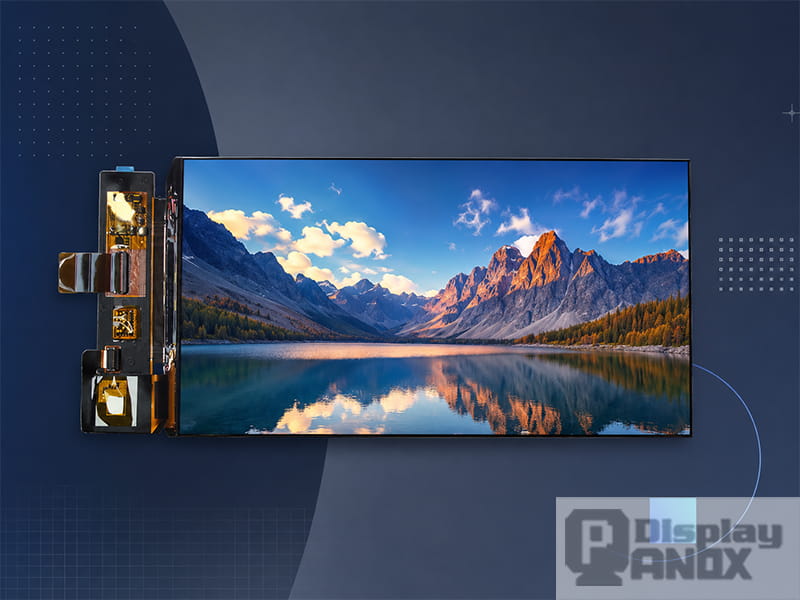
7 inch AMOLED OLED 1920X1080 Mipi
A 7 inch screen is one of the most widely used display sizes in embedded electronics. It is large enough to show a useful interface, yet compact enough for handheld equipment, smart home controllers, vehicle displays, Raspberry Pi projects, industrial HMIs, portable instruments and custom consumer devices.
For engineers and product developers, the phrase “7 inch screen” is only the starting point. The real selection work begins with panel technology, resolution, brightness, touch structure, interface, viewing distance, operating environment and mechanical integration. A 7 inch LCD panel for an industrial control box, a 7 inch HDMI touch display for Raspberry Pi, and a 7 inch AMOLED display for a handheld console can share the same diagonal size while behaving very differently in a finished product.
This guide explains what a 7 inch screen means, how common 7 inch display panels differ, and how to choose a suitable option for a real device.
What Is a 7 Inch Screen?
A 7 inch screen refers to a display with a diagonal viewing size of approximately 7 inches. The measurement is taken across the active display area, from one corner to the opposite corner. It does not describe the full outer size of the module, because the final outline also depends on the bezel, FPC position, touch panel, cover glass, driver board and mounting structure.
Aspect ratio changes the physical shape of a 7 inch display. A landscape 16:9 screen has a wide, short active area, while a portrait 9:16 screen has a tall, narrow active area. A 16:10 display gives more vertical space for menus, charts and dashboards. In practical design, this matters more than the diagonal number alone.
For example, a 7 inch Full HD portrait AMOLED panel can be suitable for handheld game consoles, mobile-style interfaces and high-contrast visual applications. A 7 inch 1024 × 600 HDMI TFT LCD is easier to integrate with Raspberry Pi, Windows PCs or other video-output systems. A 7 inch 800 × 480 RGB TFT-LCD can still be a practical choice for cost-sensitive embedded interfaces where the UI is simple and stable.
Why 7 Inches Became a Useful Embedded Display Size
The 7 inch format sits in a comfortable middle ground. Smaller screens around 3.5 to 5 inches are easier to fit into compact devices, but they limit layout space. Larger displays around 10 inches or above improve visibility, although they require more enclosure space, stronger mechanical support and higher power budget.
A 7 inch screen can usually show a complete user interface without forcing every control into a crowded layout. It can display a camera feed, a navigation map, a control dashboard, a diagnostic menu, a waveform, a product image or a system status panel with readable text and touch targets.
This is why 7 inch panels appear so often in:
industrial control terminals
smart home control panels
portable test instruments
vehicle and navigation devices
medical and health-related equipment
Raspberry Pi and single-board computer projects
handheld game consoles
digital photo frames and information dashboards
custom embedded systems
In these applications, the screen must do more than display pixels. It needs to support a readable UI, stable electrical connection, appropriate brightness, reliable touch input and a mechanical structure that can survive assembly and daily use.
LCD, IPS LCD and AMOLED: Choosing the Right 7 Inch Screen Technology
The most common 7 inch screen technologies are TFT-LCD, IPS TFT-LCD and AMOLED. Each one has a different optical structure and a different application focus.
A TFT-LCD uses a backlight, liquid crystal layer and color filter to form the image. It is mature, widely available and cost-effective. For industrial products, smart home controllers, automotive accessories and embedded devices with a stable UI, TFT-LCD remains a practical choice. Many 7 inch TFT modules are available with RGB, HDMI, LVDS or MIPI-related driving solutions, which makes them easier to adapt to different host systems.
IPS LCD is a type of TFT-LCD designed for better viewing angle and more stable color performance. In many HMI and dashboard products, users view the screen from the side, above or below rather than perfectly straight on. IPS technology helps reduce color shift and contrast loss at wider viewing angles, making it useful for wall-mounted controllers, vehicle displays, industrial panels and shared-use terminals.
AMOLED is a self-emissive display technology. Each pixel produces its own light, so black areas can be very deep and contrast can be much higher than typical backlit LCD structures. A 7 inch AMOLED display can be attractive for premium handheld devices, media-focused products, gaming displays and applications that need vivid color, fast response and a thinner module structure. Power behavior depends strongly on the displayed image. Dark interfaces can be efficient, while bright full-white screens demand more power.
For most projects, the best technology depends on how the screen will be used. A cost-sensitive control panel with fixed graphics may work well with TFT-LCD. A bright dashboard with wide viewing requirements may benefit from IPS LCD. A high-end portable product with rich visuals and deep contrast may justify AMOLED.
Resolution and Pixel Density: What Looks Sharp on a 7 Inch Screen?
Resolution determines how many pixels the display contains. Pixel density, usually measured in PPI, determines how tightly those pixels are packed into the 7 inch area. Higher resolution can improve text clarity and image detail, although it also increases the demand on the processor, interface bandwidth and power system.
Common 7 inch screen resolutions include:
| Resolution | Typical Use | Practical Impression |
|---|---|---|
| 800 × 480 | Basic embedded UI, simple HMI, low-cost control panels | Enough for large buttons, icons and simple status screens |
| 1024 × 600 | Raspberry Pi display, dashboard, portable monitor, smart home controller | A good balance between readability and integration cost |
| 1200 × 1920 | High-resolution tablet-style LCD, portrait UI, handheld devices | Sharper text and more layout space |
| 1080 × 1920 | Full HD AMOLED, premium handheld and media devices | High pixel density, vivid image detail and smooth visual presentation |
A 7 inch 800 × 480 display is roughly in the low-to-mid PPI range, so the UI should use larger typography, simple icons and clear spacing. A 7 inch 1024 × 600 screen gives more useful layout space while remaining friendly for HDMI controller boards and SBC projects. A 7 inch 1080 × 1920 AMOLED screen can reach around 315 PPI, which is much sharper and better suited to detailed graphics, mobile-style apps and rich visual interfaces.
Resolution should be selected together with viewing distance. A handheld device viewed from 25 to 40 cm benefits from higher PPI. A machine control panel viewed from farther away may gain more from brightness, contrast, anti-glare treatment and large UI elements than from extreme resolution.
Brightness, Contrast and Real-World Readability
Readability is shaped by more than resolution. A display that looks sharp in a dark office may become difficult to read under sunlight, strong indoor lighting or reflective cover glass. Brightness, contrast, surface treatment, viewing angle and UI color design all affect the final result.
For indoor embedded devices, moderate brightness may be enough. For handheld outdoor equipment, vehicle displays or equipment used near windows, higher luminance and better optical design become important. Anti-glare cover glass, optical bonding, high-contrast UI design and suitable backlight or OLED driving strategy can make a visible difference.
Contrast also needs context. AMOLED screens can deliver extremely deep black in dark environments because the pixels emit light individually. LCD panels depend on backlight and liquid crystal control, so black level is influenced by light leakage and panel structure. Under strong ambient light, reflected light from the cover surface can reduce the perceived advantage of any display technology. This is why outdoor readability should be evaluated with the full stack: display panel, touch sensor, cover glass, surface coating, air gap or optical bonding, enclosure angle and real ambient lighting.
A good 7 inch screen selection should consider the full viewing condition, not only the brightest number in the datasheet.
Interface Options for 7 Inch Display Panels
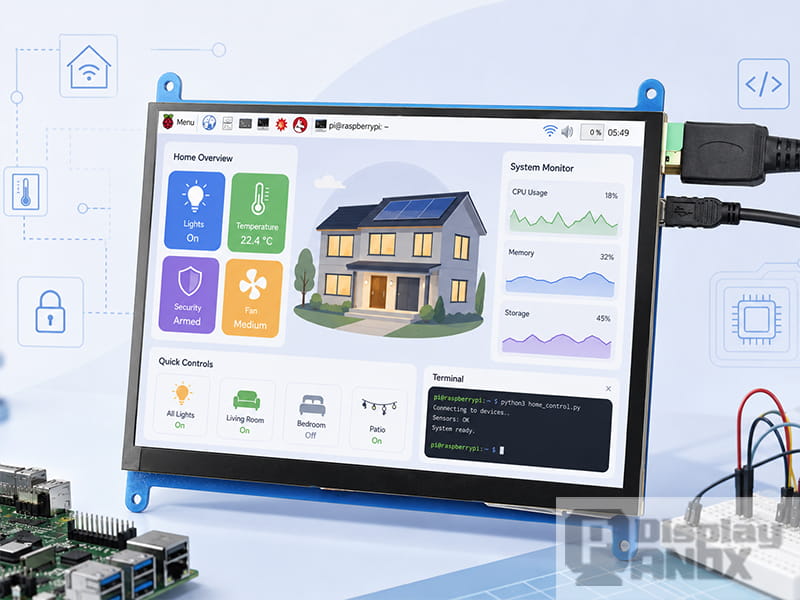
7 inch Raspberry Pi LCD Display Touch Screen
The interface determines how the host system sends image data to the display. It also affects PCB complexity, cable design, firmware work and development time.
RGB Interface
RGB parallel interface is common in many TFT-LCD modules. It can be practical for MCU and embedded Linux systems that support parallel display output. A 7 inch 800 × 480 RGB TFT-LCD is often used in cost-sensitive HMI and control products. The advantage is maturity and direct control. The tradeoff is a higher pin count and more PCB routing work compared with serial interfaces.
MIPI DSI
MIPI DSI is widely used in mobile devices, tablets, wearables, automotive displays and embedded products that need high bandwidth with fewer signal lines. It is especially common for high-resolution 7 inch LCD and AMOLED panels. A 7 inch 1200 × 1920 LCD or 7 inch Full HD AMOLED panel will often use MIPI because the pixel data rate is much higher than that of a basic 800 × 480 screen.
For engineers, MIPI DSI brings compact cabling and high performance, while it also requires careful attention to lane count, initialization code, power sequence, reset timing, D-PHY layout and driver compatibility. When the host platform already supports MIPI DSI, this interface can be a clean solution. When the host is a PC, Raspberry Pi or media board with HDMI output, a controller board may reduce development time.
HDMI Controller Board
A 7 inch HDMI display is popular for Raspberry Pi, mini PCs, industrial computers and evaluation systems. HDMI is easier for developers who want a display that behaves like a small monitor. The controller board handles panel driving, timing conversion, backlight control and sometimes touch interface processing.
This is why many 7 inch display projects start with an HDMI controller board during prototyping. It allows the software team to test the UI first, while the hardware team evaluates whether the final product should keep the controller board or move to a direct panel interface.
Touch Interface
Touch is usually handled separately from display image data. Projected capacitive touch panels are common for 7 inch screens because they support smooth finger input, cover glass integration and multi-touch operation. Touch controller ICs from common suppliers can communicate through I2C or USB depending on the design.
Touch should be planned early. Cover glass thickness, bonding method, black border design, sensor size, FPC direction and enclosure stack-up can all affect performance. Adding touch after the mechanical design is finished often creates avoidable problems.
PanoxDisplay 7 Inch Screen Options
PanoxDisplay supplies several 7 inch screen directions for different product needs. The exact model should always be confirmed with the latest datasheet, because panel supply and detailed specifications may vary by batch.
| 7 Inch Screen Direction | Example Specification | Suitable Applications |
|---|---|---|
| 7 inch AMOLED display | 1080 × 1920 FHD, MIPI, high contrast, on-cell touch option | Handheld devices, portable GPS, game consoles, premium visual interfaces |
| 7 inch Raspberry Pi LCD touch display | 1024 × 600, HDMI input | Raspberry Pi projects, SBC dashboards, smart home panels, test benches |
| 7 inch TFT-LCD RGB display | 800 × 480, RGB interface | Industrial controls, smart home devices, vehicle accessories, security products |
| 7.0 inch high-resolution LCD | 1200 × 1920, MIPI interface | Tablet-style products, digital devices, high-density embedded interfaces |
PanoxDisplay can also support related integration needs such as HDMI or Type-C controller boards, connectors, adapter boards, cover glass and customized touch panels. For early-stage development, this can be useful because display integration usually involves more than the panel itself. A complete display solution may include panel selection, FPC direction review, touch matching, power sequence checking, interface conversion and sample testing.
How to Choose a 7 Inch Screen for Your Product
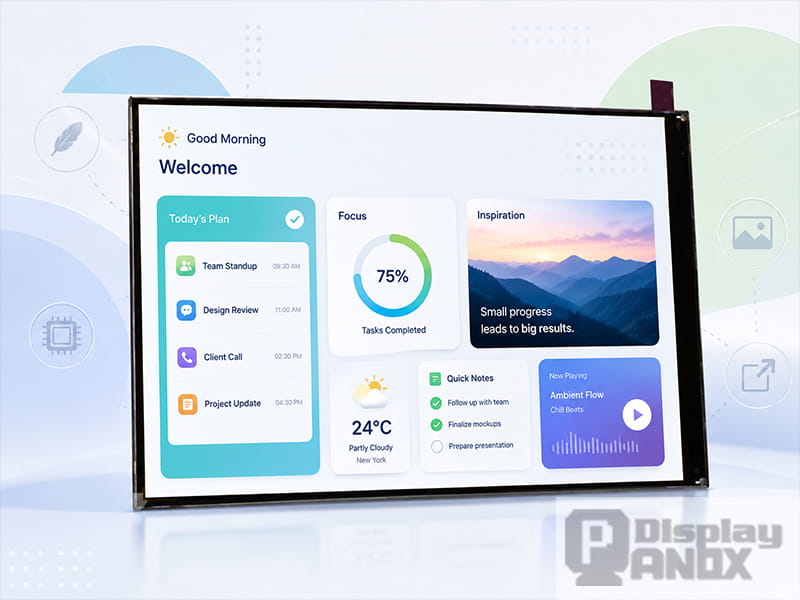
The right 7 inch screen should be selected from the application backward. Start with the actual use environment, then move toward resolution and interface.
For an indoor smart home control panel, a 7 inch 1024 × 600 HDMI or RGB TFT-LCD can be enough. The priority is clean touch response, stable supply, good viewing angle and easy integration. The UI can use larger buttons, simple icons and a calm color system.
For an industrial HMI, durability and readability become more important. The panel should be checked for operating temperature, backlight lifetime, touch cover thickness, electrical noise environment, mounting structure and availability of long-term support. If the interface is RGB or LVDS, the hardware team should confirm signal integrity and cable length early.
For a handheld gaming or media device, a 7 inch AMOLED screen can provide stronger contrast, faster response and a more premium visual impression. The design team should also consider thermal behavior, power consumption under bright content, OLED lifetime, touch structure and UI brightness control.
For a Raspberry Pi or single-board computer project, HDMI input usually makes development easier. A 7 inch HDMI LCD touch screen can behave like a compact monitor, reducing driver bring-up work. This is useful for prototypes, dashboards, portable terminals and education projects.
For a high-resolution tablet-style product, MIPI DSI is often the more suitable path. It supports high pixel data rates with a compact connection, although it requires more detailed driver and PCB work. The host processor, display timing, lane count and initialization sequence must match the panel.
Mechanical and Optical Details That Should Be Checked Early
Many display problems appear late because mechanical and optical details were treated as secondary issues. For a 7 inch screen, these details should be reviewed at the beginning of the project.
The first detail is active area. The LCD or OLED active area must align with the cover glass window, touch sensor and front housing. Even a small mismatch can create visible shadows, uneven borders or hidden pixels.
The second detail is FPC direction. A display may look perfect in the product image, but the FPC may exit from the wrong side for the enclosure. Re-routing the cable after the PCB layout is finished can be painful.
The third detail is thickness. A bare display panel, touch layer, optical adhesive, cover glass and controller board all add to the final stack. A slim panel can still become a thick module after adding protection and electronics.
The fourth detail is surface reflection. For outdoor or vehicle applications, cover glass treatment can decide whether the screen feels professional or difficult to use. Anti-glare, anti-reflective coating and optical bonding should be discussed together with brightness.
The fifth detail is thermal environment. Display brightness, backlight power, OLED content, driver IC heat and enclosure ventilation can all influence long-term stability. Wide-temperature applications need deeper validation than room-temperature prototypes.
7 Inch Screen Applications
A 7 inch screen can support many product categories because it offers a strong balance between visibility and integration size.
In smart home systems, it works well as a wall-mounted control center for lighting, HVAC, security, audio and energy monitoring. The screen has enough space for touch-friendly controls while staying compact on the wall.
In industrial equipment, it can serve as a local HMI for machine status, alarms, parameter settings and production data. The design should emphasize legibility, stable touch operation and long-term availability.
In vehicle and navigation products, a 7 inch display can show maps, camera views, diagnostics or infotainment content. Brightness, viewing angle, vibration resistance and operating temperature become critical.
In portable instruments, it provides enough area for waveforms, measurement values, menus and live images. The display must be balanced with battery capacity, enclosure size and field readability.
In Raspberry Pi and maker projects, a 7 inch HDMI touch display is a convenient choice for dashboards, portable Linux terminals, media systems, automation panels and test setups.
In handheld entertainment devices, a 7 inch AMOLED or high-resolution LCD can create a more immersive visual experience. Refresh rate, response time, contrast and power behavior should be evaluated together.
Common Mistakes When Selecting a 7 Inch Display Panel
One common mistake is choosing by resolution alone. A higher-resolution panel can look better, although it may also require a stronger processor, higher interface bandwidth and more careful power design.
Another mistake is ignoring the interface during early planning. A panel with excellent optical performance may become difficult to use if the host board lacks the correct MIPI DSI lanes, timing support or initialization resources.
A third mistake is treating touch as a simple add-on. Touch changes the optical stack, front glass design, mechanical tolerance and electrical behavior. It should be designed with the display from the beginning.
A fourth mistake is testing only indoors. A product used in vehicles, factories or outdoor environments should be checked under realistic lighting, temperature and viewing angles.
A fifth mistake is overlooking supply and support. For commercial products, a stable supply chain, available datasheet, connector support, driver board option and technical communication can be just as important as the display specification.
Final Thoughts
A 7 inch screen is popular because it solves a very practical design problem: it gives enough visual space for a useful interface without making the product bulky. In embedded systems, this size can support touch control, high-resolution graphics, dashboard layouts, handheld entertainment and industrial operation panels.
The best choice depends on the complete product requirement. TFT-LCD is practical for mature and cost-sensitive designs. IPS LCD improves viewing angle and UI consistency. AMOLED brings high contrast, vivid color and fast response for premium devices. HDMI controller boards simplify prototyping and SBC integration. MIPI DSI is better suited to compact, high-resolution products when the host platform can support it properly.
PanoxDisplay provides 7 inch display panel options across LCD, TFT-LCD, AMOLED, HDMI and MIPI solutions, with support for controller boards, touch panels and related customization. For developers building a new device, the most reliable path is to define the use environment first, then confirm resolution, brightness, interface, touch structure, mechanical stack and datasheet support before moving into PCB and enclosure design.
Learn more: 7 Inch Screen Applications: Where 7 Inch Display Panels Are Used
FAQs:
Is a 7 inch screen measured by width or diagonal size?
A 7 inch screen is measured diagonally across the active display area. The outer module size can be larger because of the bezel, FPC, cover glass, touch panel and mounting structure.
Is 800 × 480 enough for a 7 inch display?
800 × 480 can be enough for simple control panels, large buttons, basic dashboards and cost-sensitive embedded devices. For sharper text, image-rich interfaces or modern handheld products, 1024 × 600, 1200 × 1920 or 1080 × 1920 may be more suitable.
Which is better for a 7 inch screen, LCD or AMOLED?
LCD is often preferred for mature, cost-effective and long-life embedded products. AMOLED is better for high contrast, rich color, fast response and premium visual design. The right choice depends on brightness, power budget, UI content, operating environment and product positioning.
Can a 7 inch MIPI display connect directly to Raspberry Pi?
It depends on the Raspberry Pi model, the display timing, lane configuration, driver support and initialization code. For many projects, an HDMI controller board is easier during development. Direct MIPI integration is possible when the hardware and software resources match the panel requirements.
What should be confirmed before ordering a 7 inch display panel?
The key items include active area, outline size, resolution, interface, brightness, viewing angle, operating temperature, touch structure, FPC direction, connector type, power sequence, datasheet availability and controller board support.