







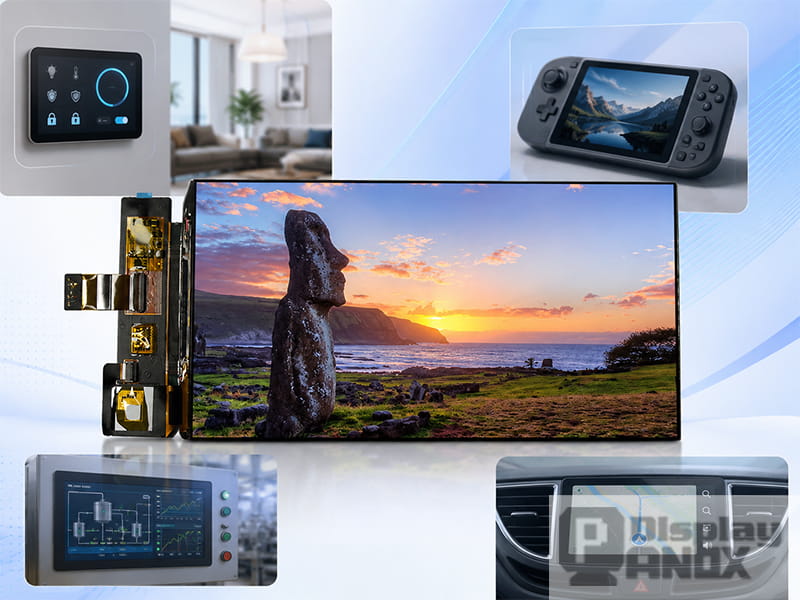
7 inch AMOLED OLED 1920X1080 Mipi
A 7 inch screen is widely used in embedded devices because it gives product designers a comfortable middle ground. It is large enough for a real user interface, yet compact enough to fit into portable equipment, wall-mounted controllers, vehicle displays, handheld devices, Raspberry Pi projects, and custom industrial systems.
In many products, the display is no longer a simple output part. It becomes the place where users read data, control settings, respond to alerts, watch camera feeds, check system status, or interact with software. This is where the 7 inch display panel becomes valuable. It gives enough visual space for touch-friendly layouts without pushing the whole device into a bulky tablet or desktop monitor format.
This article looks at the most common applications of 7 inch screens and explains which display features matter in each scenario.
1. Raspberry Pi Projects and Development Dashboards
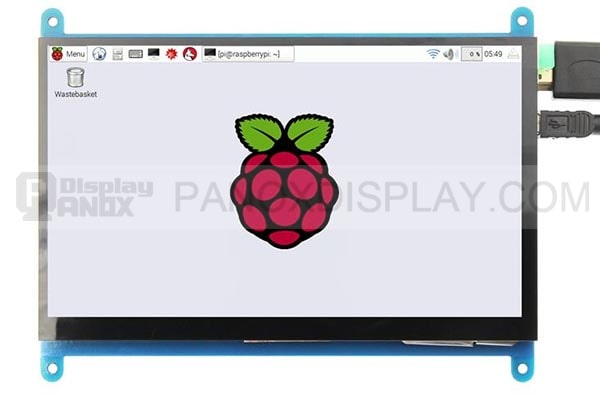
7 inch Raspberry Pi LCD Display Touch Screen
Raspberry Pi is one of the most common platforms for 7 inch touch screen applications. A 7 inch Raspberry Pi LCD display can turn a single-board computer into a compact interactive system, making it useful for dashboards, kiosks, home automation panels, media interfaces, test benches, and education projects.
For developers, the advantage is speed. A 7 inch HDMI touch display can be connected to a Raspberry Pi or mini PC more easily than a raw panel-level display. This allows teams to test software, build GUI prototypes, and validate touch interaction before moving into a custom hardware design.
A typical Raspberry Pi dashboard may show sensor data, system status, weather information, automation controls, network monitoring, media playback, or simple machine control functions. The 7 inch size works well because it can display several interface cards at once while remaining small enough for a desktop stand, wall mount, enclosure, or portable test setup.
PanoxDisplay’s 7 inch Raspberry Pi LCD Display Touch Screen is designed for this kind of integration path. With HDMI input and touch support, it is suitable for makers, developers, engineering teams, and small product companies that need a practical display for interactive projects.
2. Smart Home Control Panels
A smart home panel needs to be clear, responsive, and easy to understand at a glance. Users may use it to control lighting, climate, curtains, security, media, energy monitoring, or room scenes. A 7 inch touch screen provides enough space for these functions without making the wall panel feel oversized.
In this application, the display does not need to show every detail at once. It needs a clean hierarchy. The most important controls should be easy to reach, while secondary settings can stay behind menus or cards. A 7 inch screen gives designers enough room to make the interface calm and readable.
Brightness and viewing angle matter because a wall-mounted panel may be viewed from the side or under changing indoor light. Touch performance also matters because users expect the panel to respond like a consumer device. A projected capacitive touch panel, customized cover glass, and a well-matched LCD or AMOLED module can make the final product feel more refined.
A 7 inch LCD screen is often a practical choice for smart home devices because it offers stable display performance and mature integration options. For premium smart panels, a 7 inch AMOLED display can add stronger contrast and a more vivid interface, especially when the UI uses dark backgrounds or rich visual content.
3. Industrial HMI and Equipment Control
Industrial equipment often needs a local human-machine interface. Operators may need to check machine status, adjust parameters, confirm alarms, monitor production data, or switch operating modes. A 7 inch display panel is well suited to this role because it gives enough room for readable data and touch controls while keeping the front panel compact.
In industrial environments, the screen must be designed around real usage conditions. The user may stand at an angle. The display may be exposed to dust, vibration, temperature changes, strong indoor lighting, or gloves depending on the equipment type. The interface should avoid visual clutter and keep critical information easy to identify.
A 7 inch screen can support a practical industrial layout: status area at the top, main operation area in the center, alarm or trend data on the side, and quick controls near the bottom. This layout is much easier to read than a very small screen with stacked pages and compressed text.
For industrial products, engineers should pay attention to operating temperature, backlight lifetime, FPC direction, connector reliability, touch panel structure, cover glass, and long-term supply. The panel itself is only one part of the display solution. The complete display stack should match the enclosure, controller board, and working environment.
4. Portable Instruments and Test Equipment
Portable instruments need to show measurement data clearly without making the device too large or power-hungry. A 7 inch screen is often a good size for analyzers, diagnostic tools, inspection equipment, field monitors, data loggers, and laboratory devices.
These products usually need more than simple numbers. They may show waveforms, charts, live camera images, measurement results, parameter menus, warning messages, and historical data. A smaller screen can feel cramped when these elements must share the same interface. A larger screen may make the instrument harder to hold, carry, or protect.
A 7 inch display gives a practical amount of working area. It can support a main graph or image area with secondary readings beside it. Touch input can simplify menu navigation and reduce the number of physical buttons. For field use, brightness and surface treatment become important because the screen may be viewed under strong ambient light.
For battery-powered instruments, the display choice should also consider power behavior. LCD and AMOLED panels behave differently depending on brightness, image content, and use time. Engineers should evaluate the final UI, not only the display specification sheet.
5. Handheld Devices and Portable Entertainment
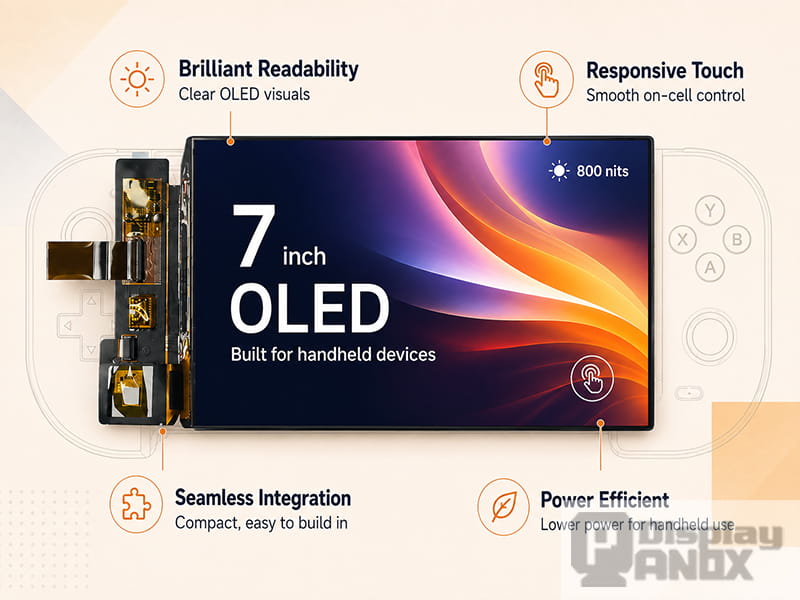
7 inch AMOLED OLED 1920X1080 Mipi
A 7 inch screen is a strong fit for handheld products because it gives users an immersive viewing area while keeping the device manageable. This is why 7 inch panels are often considered for handheld game consoles, portable media devices, navigation units, mobile terminals, and custom Android/Linux devices.
For entertainment and visual applications, contrast, color, response time, and pixel density become more important. A 7 inch AMOLED screen can be especially attractive because it can deliver deep black, vivid colors, and a thin module structure. These qualities help the product feel more premium, especially when the user holds the screen close.
PanoxDisplay’s 7 inch AMOLED OLED 1920×1080 MIPI display is suitable for this kind of visual-focused product direction. Its high pixel density and MIPI interface make it a strong candidate for handheld systems where sharp detail and compact integration matter.
However, handheld design is never only about image quality. The product team also needs to review heat, battery capacity, touch structure, mechanical protection, viewing distance, and interface compatibility. A beautiful panel can still create problems if the power system, enclosure, and software are not planned together.
6. Tablet-Style Embedded Devices
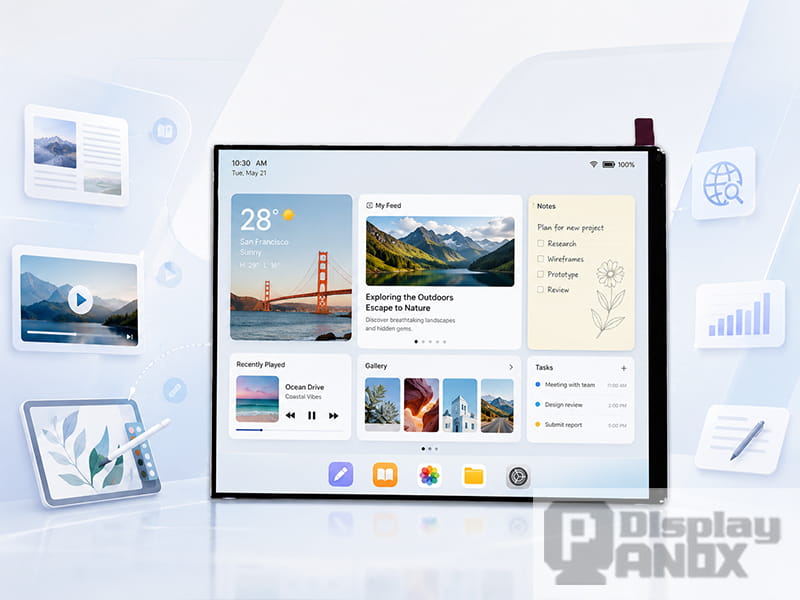
Some embedded products need a tablet-like interface without becoming a consumer tablet. These may include retail terminals, medical support devices, inspection tools, training equipment, logistics terminals, or customized control devices. A 7.0 inch LCD for tablet-style applications can support this type of product well.
In these cases, the display should feel familiar to users. The interface may use cards, tabs, content areas, icons, forms, charts, and navigation bars. The 7 inch format gives enough room for this layout while still supporting a compact enclosure.
A high-resolution 7.0 inch MIPI LCD is useful when text clarity and detailed UI content matter. MIPI also helps reduce the number of signal lines compared with parallel display interfaces, which can be helpful for compact embedded hardware. For teams designing a custom motherboard, this can support a cleaner internal structure, although it requires proper driver support and careful hardware design.
PanoxDisplay’s 7.0 inch LCD for Tablet direction is suitable for products that need a sharper LCD display in a tablet-style embedded form. It can be used where the screen must show more detailed UI content than a basic control display.
7. Automotive, Navigation and Rear-View Display Systems
Vehicle-related displays often need compact size, fast readability, and stable operation. A 7 inch screen can be used for navigation devices, rear-view camera monitors, dash systems, auxiliary control panels, fleet terminals, and vehicle diagnostic tools.
In automotive-related environments, viewing conditions can change quickly. Sunlight, reflections, night driving, vibration, and different viewing angles can all affect the display experience. The UI should use strong contrast, large key information, and simple interaction patterns. A screen that looks acceptable indoors may feel weak inside a vehicle if brightness and reflection are not handled well.
A 7 inch display panel provides enough space for map content, camera images, status indicators, and control menus. It also fits more easily into dashboards and custom enclosures than larger panels. Depending on the system, HDMI, MIPI, LVDS, or a controller board may be used to connect the display to the host platform.
For vehicle applications, engineers should review brightness, temperature range, vibration resistance, connector stability, touch reliability, and optical bonding options. The panel should be evaluated as part of the full display module, not as an isolated component.
8. Medical and Healthcare Support Devices
A 7 inch screen can also be used in medical and healthcare-related support devices, such as portable monitors, diagnostic equipment, bedside terminals, control panels, therapy devices, and health data interfaces. In these applications, usability and safety are especially important.
The display must present information clearly. Users may need to read numbers, status messages, trend charts, alarms, and operation steps quickly. If the interface is crowded, low contrast, or difficult to navigate, the device can become harder to use. A 7 inch touch screen gives interface designers enough space to separate critical information from secondary settings.
For medical-related projects, display selection should be connected with usability engineering, risk management, and product validation. The panel, touch structure, cover glass, software UI, enclosure, and cleaning requirements should be considered together.
A 7 inch LCD screen can be practical for stable equipment interfaces, while a higher-resolution panel may be useful when the device needs to show detailed data or image content. The best choice depends on viewing distance, environment, brightness, touch interaction, and the final device category.
9. Retail, POS and Self-Service Terminals
Retail and self-service products need screens that are easy for customers or staff to understand quickly. A 7 inch touch display can work well for POS systems, payment accessories, ordering devices, check-in panels, vending interfaces, queue systems, and compact service terminals.
The screen size gives enough room for product options, transaction prompts, QR codes, status messages, and simple navigation. It also keeps the terminal compact, which matters for counters, kiosks, portable checkout tools, and embedded retail equipment.
In this category, the display must feel responsive and clear. Touch accuracy, surface durability, brightness, and cover glass design can have a direct effect on the user experience. The interface should avoid small text and overly complex pages because users may interact with the screen quickly and under pressure.
A 7 inch HDMI display can be useful for systems based on mini PCs or development boards, while MIPI LCD solutions can support more integrated commercial designs.
10. Security, Access Control and Monitoring Devices
A 7 inch screen is also suitable for access control panels, intercom systems, security monitors, door stations, attendance devices, and compact surveillance terminals. These products often need to combine live image viewing with simple controls.
For example, an access control terminal may show a camera feed, user identity, door status, keypad interface, and system alerts. A smaller screen may struggle to display all of this comfortably. A 7 inch panel gives enough space for both visual content and touch operation.
Security-related displays may also need stable performance over long operating hours. Engineers should consider brightness, viewing angle, backlight life, heat, touch durability, and the system’s standby behavior. If the product uses a dark interface or requires high visual contrast, AMOLED may be considered for a more premium design. For many standard access systems, LCD remains a reliable and practical choice.
Choosing the Right 7 Inch Display for the Application
The best 7 inch screen depends on the product, not on size alone. A Raspberry Pi dashboard may benefit from a 7 inch HDMI touch display because it is easy to connect and develop. A premium handheld device may need a 7 inch AMOLED display for stronger contrast and a sharper visual experience. A tablet-style embedded product may require a high-resolution MIPI LCD for compact integration and detailed UI content. An industrial HMI may need stable supply, durable touch design, and careful mechanical planning.
The application should define the display requirements. If the product will be used outdoors or in a vehicle, brightness and reflection control become more important. If users will touch the screen frequently, the touch panel and cover glass must be reviewed early. If the product needs a thin enclosure, the FPC direction, connector position, and controller board structure should be checked before the enclosure design is fixed.
A good display choice supports the whole device experience. It should match the host platform, power system, software interface, mechanical structure, and supply plan.
PanoxDisplay 7 Inch Screen Solutions
PanoxDisplay supplies 7 inch display options for different application directions, including AMOLED, LCD, Raspberry Pi LCD touch display, HDMI display solutions, MIPI display panels, touch panels, cover glass, controller boards, and customization support.
For Raspberry Pi and development projects, a 7 inch HDMI touch display can simplify connection and testing. For handheld and visual-focused products, a 7 inch AMOLED MIPI display can provide high contrast and vivid image performance. For tablet-style embedded devices, a 7.0 inch MIPI LCD can support a sharper and more detailed interface.
PanoxDisplay can also help with related display integration needs such as touch panel matching, cover glass design, adapter boards, HDMI or Type-C controller boards, connector support, and project-based customization. This is useful because many display projects require more than a standard panel. The final product may need a specific FPC direction, interface conversion, touch structure, cover lens, or mechanical fit.
Final Thoughts
A 7 inch screen is used in many embedded applications because it gives designers and engineers a practical amount of visual space. It works for smart home panels, Raspberry Pi dashboards, industrial HMIs, portable instruments, handheld devices, tablet-style products, vehicle displays, medical support devices, retail terminals, and security systems.
The same size can support very different product goals. LCD is often practical for stable and cost-conscious interfaces. AMOLED is valuable for richer visuals and premium handheld products. HDMI can make development easier. MIPI can support compact, high-resolution integration. Touch panels can turn the display into the main control surface of the device.
For a successful product, the application should come first. Once the usage scenario is clear, the display technology, resolution, brightness, interface, touch structure, cover glass, mechanical design, and controller board can be selected with much less uncertainty.
Learn more: Why Is a 7 Inch Screen a Smart Choice for Embedded Display Design?
FAQ
What are the most common applications of a 7 inch screen?
Common 7 inch screen applications include Raspberry Pi projects, smart home panels, industrial HMIs, portable instruments, vehicle displays, handheld devices, tablet-style embedded systems, retail terminals, medical support devices, and access control panels.
Is a 7 inch screen suitable for Raspberry Pi projects?
Yes. A 7 inch Raspberry Pi LCD touch display is suitable for dashboards, automation panels, portable Linux interfaces, media systems, education projects, and development prototypes. HDMI input can make early integration easier.
When should I use a 7 inch AMOLED display?
A 7 inch AMOLED display is suitable for products that need high contrast, vivid color, fast response, and a premium visual experience. It can be used in handheld devices, media products, gaming systems, and high-end control panels.
When should I use a 7 inch LCD screen?
A 7 inch LCD screen is suitable for smart home panels, industrial control, retail terminals, portable equipment, and embedded systems that need stable display performance, practical cost, and broad integration options.
Is a 7 inch touch screen good for industrial HMI?
A 7 inch touch screen can work well for industrial HMI when the interface is designed with large controls, clear text, strong contrast, and reliable touch operation. Engineers should also check operating temperature, brightness, connector stability, and mechanical fit.
Can a 7 inch display be used in vehicle applications?
Yes. A 7 inch display can be used in navigation systems, rear-view monitors, diagnostic tools, fleet terminals, and auxiliary vehicle control panels. Brightness, reflection control, viewing angle, vibration resistance, and temperature range should be reviewed carefully.